Divvy
DivvyHow to Split a Restaurant Bill With Friends (Without the Awkwardness)
By The Divvy Team · July 8, 2026 · 3 min read
Everyone's had this dinner. Six people, one check, and a long silence while the table does mental math no one trusts. Someone had the steak and two cocktails, someone else had a salad and water — and "let's just split it evenly" quietly overcharges half the table.
Here's how to split a restaurant bill fairly, deal with tax and tip the right way, and — the part most guides skip — actually get everyone to pay you back.
The two ways to split a bill
There are really only two methods, and picking the wrong one is where the resentment starts.
Split evenly. Take the total, divide by the number of people. Fast, and fine when everyone ordered roughly the same. It falls apart the moment one person orders twice what another did.
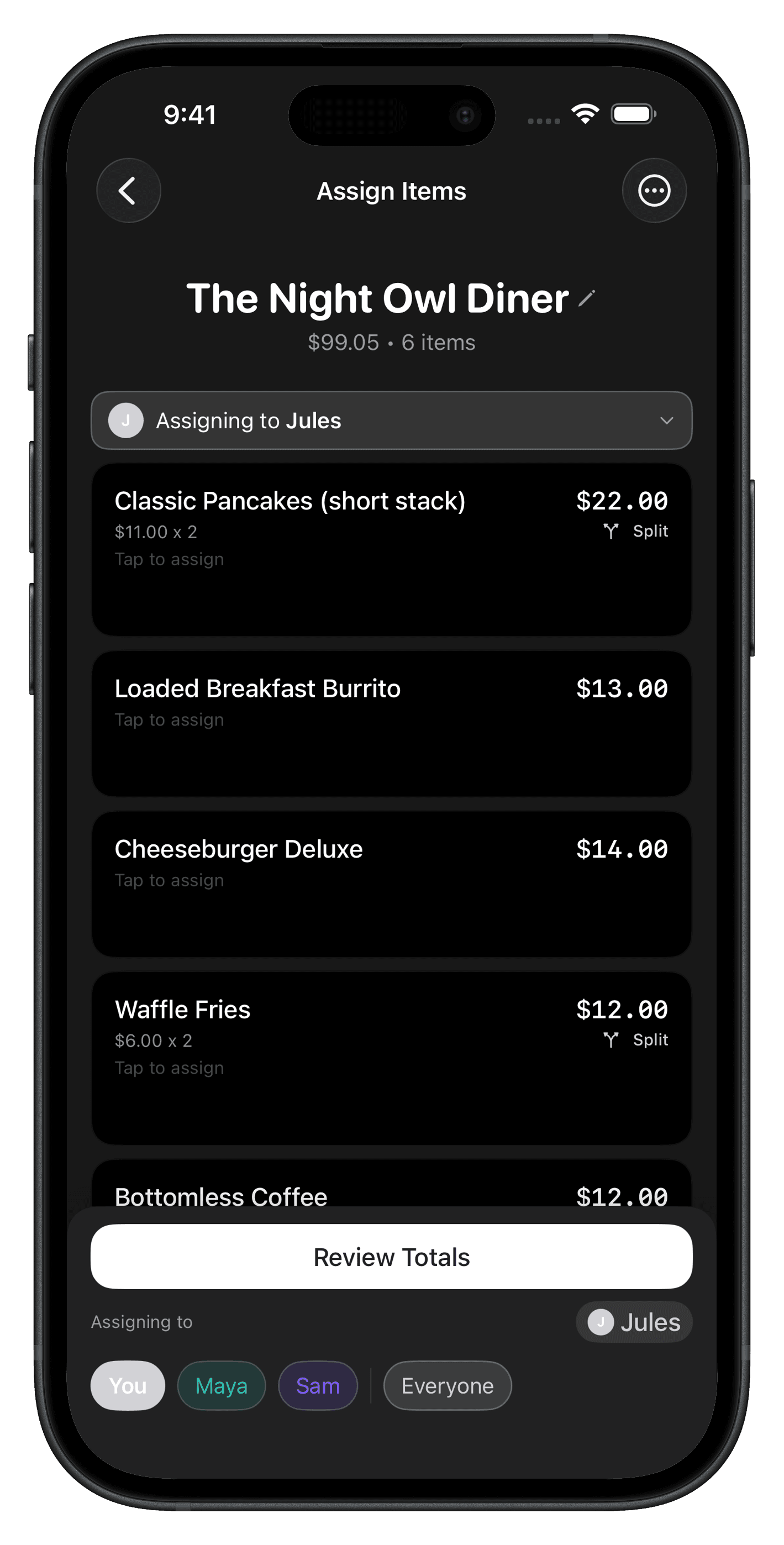
Split by item. Each person pays for what they actually ordered, and shared plates get divided among the people who split them. It's fairer, but doing it by hand is exactly the tedious part everyone avoids.
Rule of thumb: if the most expensive order is more than about double the cheapest, split by item. Anything closer, and even is fine.
Handling tax and tip fairly
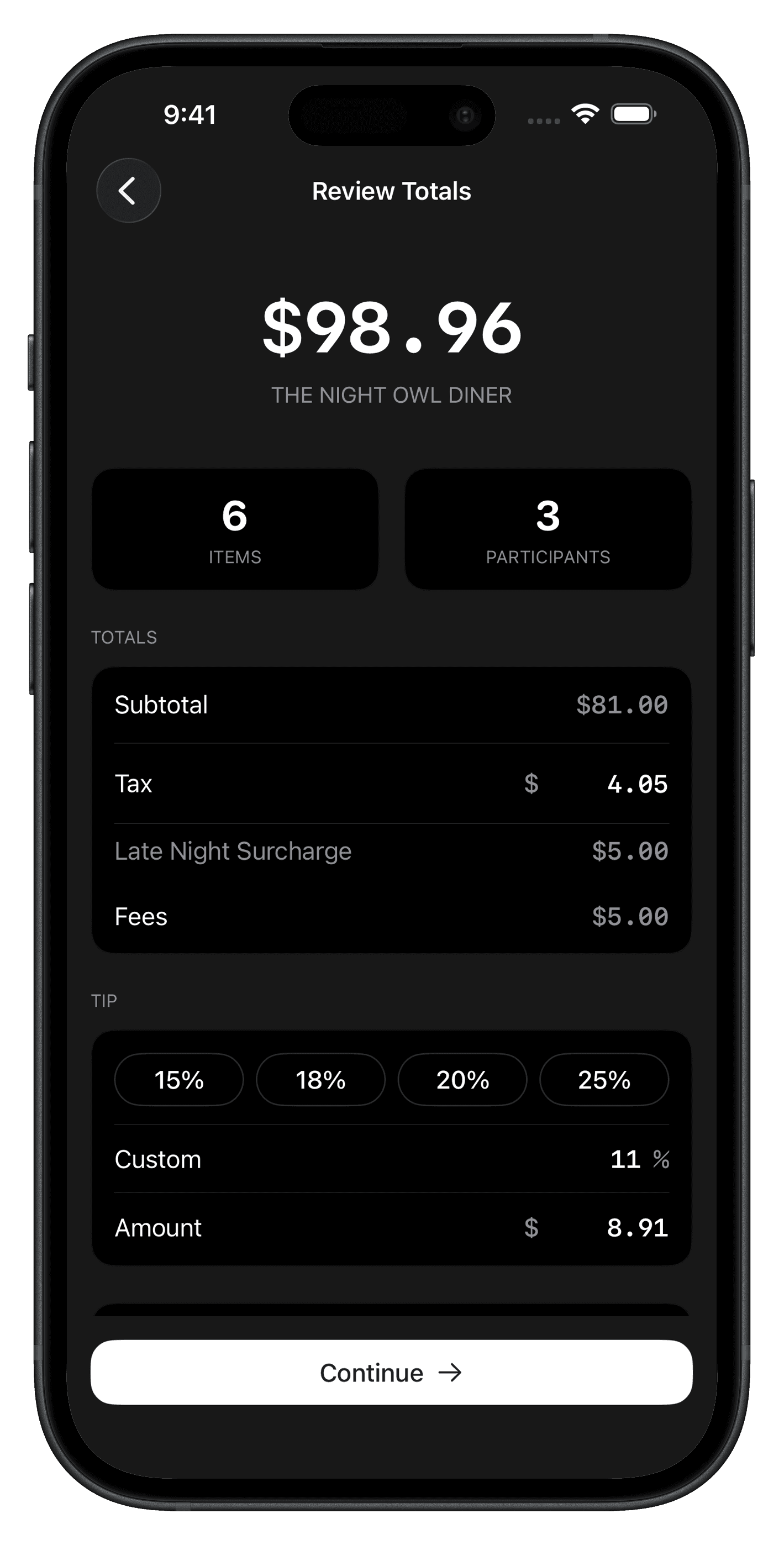
This is the step that trips people up. Tax and tip should scale with what each person ordered — not get divided evenly across heads.
If your food came to $120 and the person who ordered $40 of it splits the 20% tip evenly with five others, they're subsidizing everyone else's tip. The fair approach:
- Total each person's items.
- Work out each person's share of the pre-tax subtotal.
- Apply that same share to the tax and the tip.
So someone who accounts for a third of the food covers a third of the tax and a third of the tip. No spreadsheets required — but you do have to be consistent.
Getting everyone to actually pay you back
Splitting the bill is only half the job. The real friction is the week that follows: the "I'll get you back" that never happens, the awkward second text, the $14 you quietly write off.
A few things that help:
- Send the request the same night. Memories fade fast; the willingness to pay fades faster.
- Send an exact amount, not a rough one. "You owe $23.40" gets paid. "You owe around twenty-something" gets ignored.
- Use the app they already have. A Venmo or Cash App request they can approve in one tap beats asking them to download something new.
The faster way
If you'd rather not run the math at the table, that's the whole reason we built Divvy. Snap a photo of the receipt and it reads every line item, tax, and tip. Tap each person's name onto what they ordered — shared plates divide automatically — and Divvy sends each person their exact share as a Venmo or Cash App request, then reminds them until it's paid.
No spreadsheets, no "I'll get you next time," no writing off $14.
Want to try the math yourself first? Use the free Bill Split Calculator — no download needed.