Divvy
DivvySending Money Through Cash App: A Practical 2026 Guide
By The Divvy Team · August 7, 2026 · 13 min read
The restaurant check hits the table, one friend has already paid, and suddenly everyone's looking at their phone to figure out who owes what. If the group is still trying to split appetizers, tax, tip, and that one extra cocktail, sending money through Cash App feels like the easiest part of the whole night. The work is getting the number right before anyone taps Pay.
Cash App has become a routine way to settle those awkward tabs because it sits inside a huge everyday transfer flow, not a fringe niche. In December, it reported 56 million monthly transacting actives, $63 billion in inflows in Q4, and 18% year-over-year growth in inflows, with $1,137 in inflows per transacting active, up 8% year over year. Independent industry summaries also place its 2024 volume at roughly $240.8 billion in gross payment volume, which is exactly why people use it for dinners, Airbnb stays, concert tickets, and household reimbursements. Cash App investor materials
That's the context for this guide. Cash App is fast, but fast doesn't help if you send to the wrong person, choose the wrong funding source, or discover too late that a payment is pending when you need it settled right now.
Table of Contents
- What It Feels Like to Settle a Group Tab
- Sending Money Step by Step in the App
- Requesting Money Instead of Sending It
- Fees, Limits, and How to Avoid the Hidden Ones
- Common Problems and How to Fix Them
- Plugging Cash App Into a Bill-Splitting Workflow
- Security Habits and Quick Answers for Careful Senders
What It Feels Like to Settle a Group Tab
The dinner is over, the server drops the check, and the group's mood changes in one second. One person puts the card down because someone has to, then everyone starts doing side calculations in their head, rounding badly, and asking whether tip is before or after tax. That's the moment people reach for Cash App.
A shared Airbnb works the same way, just with more friction. One person books it, another person paid for groceries, and someone else covered concert parking. By the time the weekend ends, the group doesn't need a finance app as much as a clean way to turn a messy social situation into a settled balance.
Practical rule: if the math is still fuzzy, don't rush the payment. Cash App is the rail, not the calculator.
That's why bill-splitting starts before the money moves. The transfer itself is simple, but the annoying part is deciding whether the group is splitting evenly, item by item, or with one person covering tax and tip on behalf of everyone. A structured bill-splitting app helps with that front end, which is where the later Cash App request or payment belongs. How to split bills
For most groups, Cash App wins because it's familiar and quick. The app fits the social rhythm of “you owe me back” without forcing anyone to open a bank portal, and that makes it the default choice for casual reimbursements. Once the payment question is settled, the only thing left is choosing the right recipient and the right transfer path.
Sending Money Step by Step in the App
Open Cash App and go straight to the money screen, then enter the amount before you do anything else. That order matters because the amount should be fixed before you pick a recipient or add a note. If you are paying back a restaurant tab, enter the exact share first, then verify who got charged for what.
Tap Pay, then choose the recipient by $cashtag, phone number, or email. The lookup method changes how easy it is to avoid mistakes. A $cashtag works well when you already know the person's handle. Phone and email are better when you know the person in real life but do not remember their Cash App name.
After that, use the note field. It is optional, but a plain note like “dinner share” or “concert ticket” cuts down on confusion when the payment shows up later. On a night with several shared costs, that note also gives you a quick paper trail if someone asks whether the transfer covered drinks, parking, or the Uber.
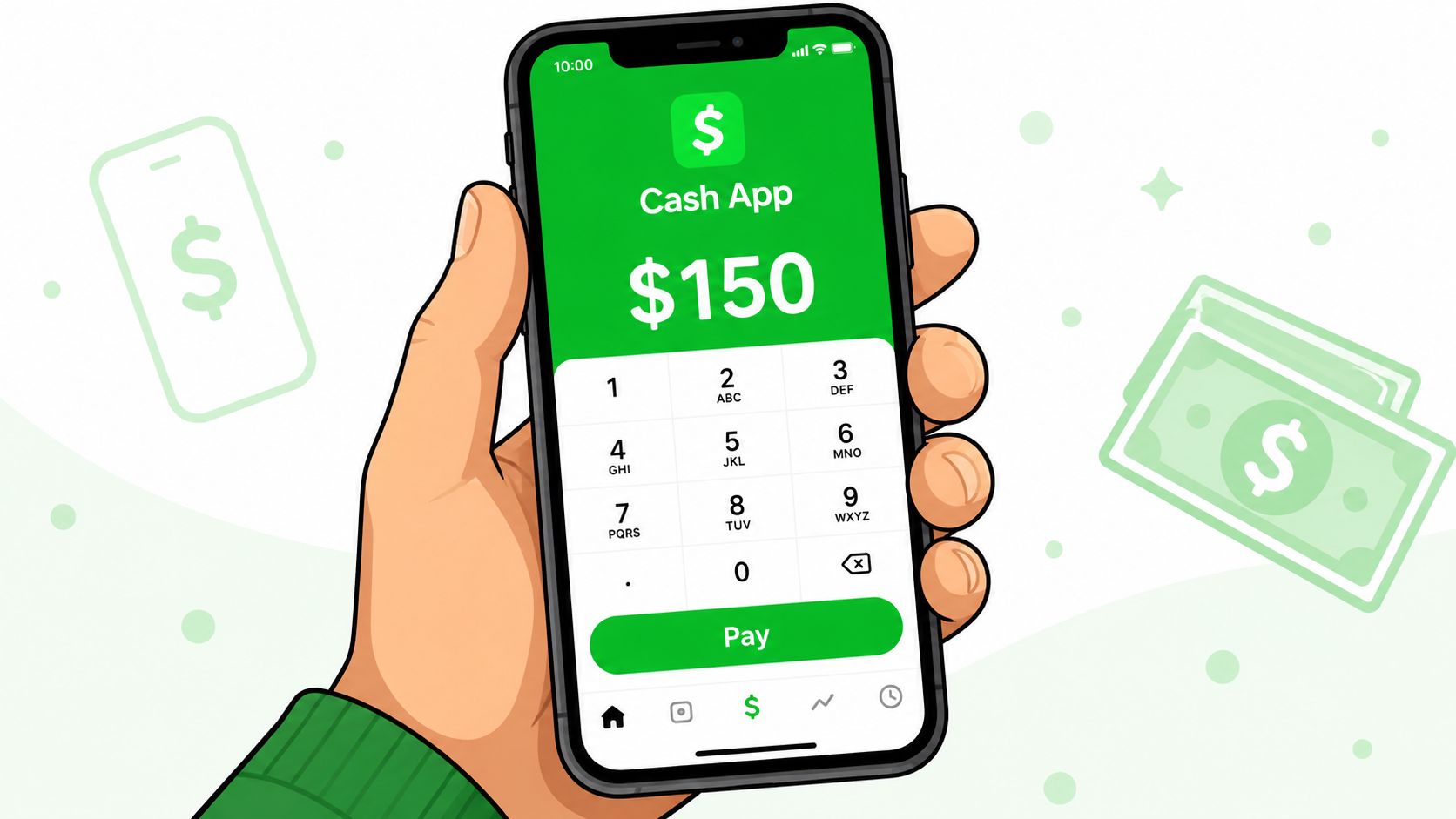
Cash App help explains the basic send flow and the difference between moving money inside Cash App and moving it out to a bank account. Cash App send and receive money help Money sent between Cash App accounts is typically available right away, while standard transfers to a linked bank account usually take one to three business days. That timing split matters if you are settling up after dinner and want the other person to see the money right away, versus waiting for a bank deposit that clears later.
If the money is already in your Cash App balance, sending is usually straightforward. If it sits on a linked card or bank account, the bigger question is whether you need speed now or can wait for the standard path later. The practical failure point is usually the recipient check, not the transfer itself, so confirm the person's name before you hit send.
For a split bill, the smoother workflow is to do the math first in a bill-splitting app, then send the payment to the right person with the amount already settled. That keeps the calculator and the transfer in separate steps, which is useful when one person paid the whole check and everyone else owes back a different share. The same setup also lines up cleanly with a bill-splitting flow that hands off payment requests when you want the request to match the final split.
Requesting Money Instead of Sending It
Sometimes you're not the one paying first, you're the one who covered the tab. In that case, request money rather than sending it. The workflow is the same in spirit, enter the amount, choose the person, and add a clear note, but the intent is different because you're asking for reimbursement instead of initiating payment.
A clean request message avoids confusion. “Brunch share $24.50” is better than “your part,” because no one has to interpret the number or guess whether tax and tip were included. If you're splitting among several people, send individual requests that match each person's share instead of one vague group request, because that makes partial payments easier to track.
Keep the note boring and specific. Boring notes are easier to settle and harder to misunderstand.
When you request money, the recipient sees what they owe and can respond from their side of the app. That's useful in group settings because it reduces the back-and-forth that usually happens when one person is trying to explain a spreadsheet in text. The request also creates a cleaner record of who owes what, which helps if someone pays only part of their share and needs a reminder later.
For people who want to move from itemized bill math to a payment request in one flow, a bill-splitting tool can handle the split first and hand off the collection step afterward. That's the same basic logic discussed in how to request money on Venmo, except the payout rail can be Cash App when that's what the group already uses.
The practical difference between sending and requesting is simple. If you owe money, send it. If you fronted the bill, request it. Mixing those up is one of the fastest ways to create confusion in a group chat, because people start paying the wrong person or waiting on a request that never came.
Fees, Limits, and How to Avoid the Hidden Ones
Cash App looks free until the funding source changes. Personal transfers from a Cash App balance or a linked bank account are the cleanest option for everyday reimbursements, while a credit card adds a 3% fee. If you are splitting a dinner tab or a few shared expenses, that surcharge is the first cost to avoid.
| Cash App Sending Costs by Funding Source | Personal Fee | Speed | Best For |
|---|---|---|---|
| Cash App balance | Free for personal transfers | Instant between Cash App accounts | Quick reimbursements from money already in the app |
| Linked bank account | Free for personal transfers | Standard bank timing can apply outside Cash App accounts | Low-friction personal sends without a card surcharge |
| Credit card | 3% fee | Depends on the transfer path | Rare cases where card funding matters more than cost |
Speed creates a different kind of cost. Cash App says standard deposits to a linked bank account usually take one to three business days, while transfers between Cash App accounts are typically faster. Cash App send and receive money help If you need the money out of the app quickly, that timing choice matters as much as the payment itself.
Limits are where people usually get surprised. Cash App's public materials point to regular, higher-volume use, but account verification is what usually decides how far you can push the app before a ceiling shows up. If you expect to use it often, verify early instead of waiting until you are trying to settle a bill late at night.
There is a practical way to keep costs down without babysitting every transfer. Link a debit card or bank account for personal sends, avoid credit card funding unless you need that source, and skip instant deposit unless the timing is worth the extra cost. If the money can wait until tomorrow, let it sit.
Rule of thumb: if the transfer is only reimbursement, use the cheapest method that still fits the timing you need.
For people who split bills regularly, a separate bill-splitting layer can keep the math and the payout path consistent. Cash App can still handle the payment, and a workflow built around Divvy bill splitting with Cash App keeps you from creating extra steps just to move money around.
Common Problems and How to Fix Them
A payment marked pending usually means the transfer hasn't finished processing or hasn't been claimed in the way you expected. If that happens, don't keep sending duplicates. Check the payment status first, because a second send often creates a mess that's harder to unwind than the original problem.
The wrong recipient is the scenario everyone dreads. If you catch it before the payment is claimed or completed, act immediately inside the app and try to cancel the pending transfer. Once the payment has gone through to the wrong $cashtag, the fix gets much harder, and the best next step is to contact support from inside Cash App and document exactly what happened.
A declined card usually means the funding source is the issue, not the recipient. The practical move is to switch to a different linked payment method, confirm the card is active, and try again only after you've checked the amount and recipient one more time. Many people assume the app itself is broken when the problem is really a banking-side authorization issue.
For bank transfers that seem stuck, timing matters. If the transfer was sent to a linked bank account and you're still inside the normal processing window, waiting is often more realistic than chasing a dispute too early. If it's clearly not moving after that, use the app's support path and be specific about the transfer date, destination, and status you see on screen.
A failed payment, a refunded payment, and a completed payment are not the same thing. Failed means it didn't go through, refunded means money moved and then came back, and completed means the payment landed. If you keep those categories straight, you'll spend a lot less time guessing what happened to the money.
Plugging Cash App Into a Bill-Splitting Workflow
The math is usually the messy part, not the payment. That's where a bill-splitting app earns its place. Divvy itemizes a receipt, assigns line items to specific people, splits shared dishes evenly, and allocates tax and tip proportionally, so the total each person owes is already computed before anyone touches Cash App.
That matters because once the share is calculated, the transfer is just the last mile. A one-tap Cash App request per person removes the spreadsheet step, the “who had the salad?” debate, and the manual retyping of amounts into a group chat. The friend on the other end doesn't need to install a separate ledger app, because the request lands in the payment app they already use.
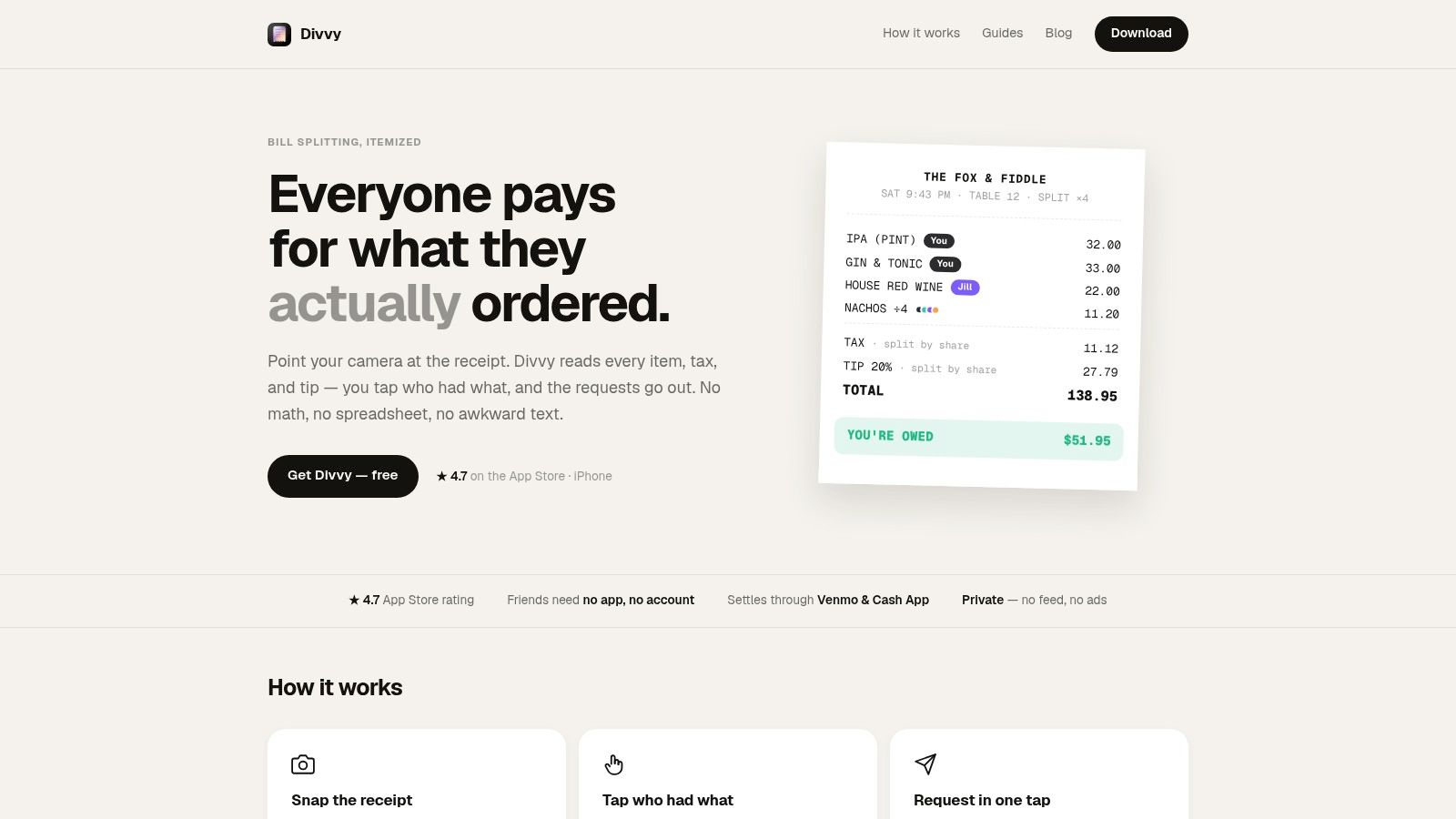
The clean workflow looks like this in practice. Scan the receipt, assign dishes, confirm the shared items, then send individual requests through Cash App for each person's share. If someone prefers another payout rail, that choice can be made inside the same split flow, but Cash App works well when the group already uses it for quick reimbursements.
The best split isn't the one that feels clever. It's the one that nobody has to argue about later.
Cash App is a good fit when the goal is immediate settlement after the math is done. It's not trying to replace the split calculation itself, it's the payment lane that finishes the job once the numbers are settled. That separation keeps the social friction lower, because the receipt logic lives in one place and the money movement happens in another.
Security Habits and Quick Answers for Careful Senders
Before you tap Pay, lock down the basics. Turn on two-factor authentication, use a PIN or biometrics if your phone supports it, and double-check the $cashtag every single time. The fastest way to lose money on a P2P app is to trust muscle memory when the recipient name is almost, but not quite, right.
Treat suspicious messages like scams until proven otherwise. If someone sends a “refund needed” DM or asks you to move money urgently, verify the request through a separate channel before you touch the app. That habit matters because payment apps move like cash, and cash is hard to recover once it leaves your hands.
A few quick answers come up all the time. Cash App is built for U.S. peer-to-peer transfers, so it's not the tool to assume will work for every international situation. If you send money to someone who doesn't have the app, the transfer won't behave the way a normal in-app payment does, so confirm the recipient setup first. Refund timing depends on the transfer path and status, so check the transaction details before assuming the money is lost.
The whole loop is simple when it's done right. Calculate the share, choose send or request, pick the right lookup method, and confirm the transfer status before moving on. That's the difference between a clean reimbursement and a night of text messages nobody wants.
If you want the split to be right before the payment ever leaves your phone, Divvy handles the receipt math and turns each person's share into a Cash App request. It keeps the awkward part, the calculation, separate from the transfer, which is exactly what group tabs need.