Divvy
DivvyWhen to split by item instead of evenly
An even split works when everyone ordered roughly the same. It stops working the moment one person had a $60 steak and two cocktails while another had a $14 salad and water. Splitting by item is the fair answer whenever orders are uneven: someone didn't drink, someone skipped the appetizers, someone's vegetarian, or the group is big enough that "let's just divide it" quietly overcharges half the table.
How to split a bill by item, step by step
- List every line item from the receipt with its price.
- Assign each item to the person who ordered it.
- Divide shared items (appetizers, pitchers, fries for the table) evenly among whoever actually had them.
- Compute each person's share of the subtotal — their items ÷ the pre-tax subtotal.
- Apply that percentage to tax and tip. If your items are 40% of the subtotal, you pay 40% of the tax and 40% of the tip.
A worked example
Say the subtotal is $100, tax is $9, and tip is $20. Your items come to $40 — that's 40% of the subtotal. You owe $40 + (40% × $9) + (40% × $20) = $51.60. Your friend who ordered $10 of food owes $12.90, not the $32.25 an even three-way split would have charged them. That gap is exactly why by-item splitting exists.
Split by item in Divvy
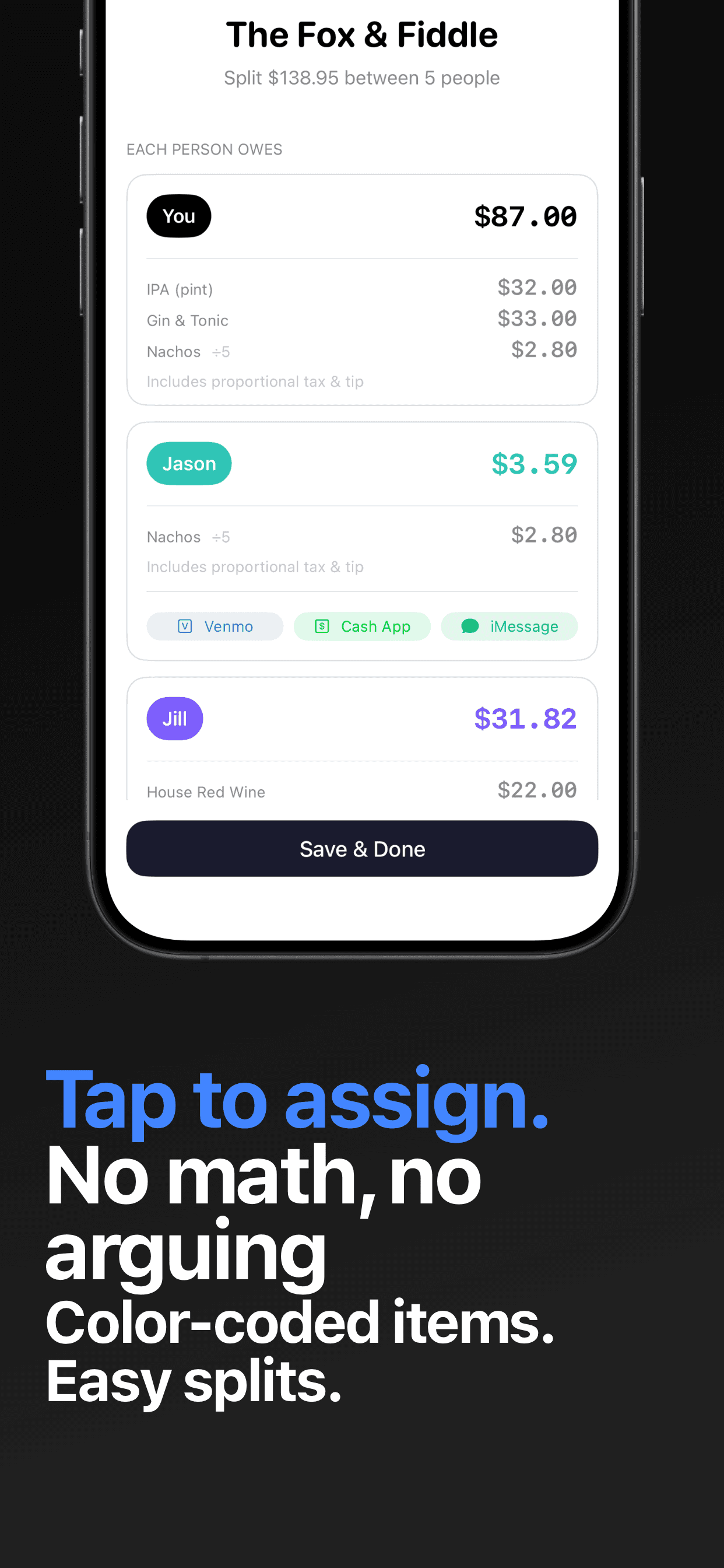
Doing that math on a phone calculator at a loud table is how groups give up and split evenly. Divvy does the whole method automatically:
- 1Scan the receiptPoint your camera at it. AI reads every line item, tax, and tip in seconds — no typing.
- 2Tap who had whatAssign items by tapping names. Shared plates divide evenly across whoever you tap.
- 3Tax and tip split themselvesEach person's total includes their proportional share of tax and tip, automatically.
- 4Request the exact amountsSend each person their share as a Venmo or Cash App request. They don't need the app.