Divvy
DivvySplit Pay Option Explained: How Modern Bill Splitting Works
By The Divvy Team · September 29, 2026 · 14 min read
You're halfway through dinner when the server drops a single receipt in the middle of the table. One person had the steak, another ordered a salad, someone shared an appetizer, and a fifth friend only had a drink. The food was easy. The math is where the evening starts to drag.
A split pay option is designed for that exact moment. Instead of making one person calculate every share and then chase everyone for reimbursement, it divides the original charge according to the way the group agreed to pay. That can mean assigning individual items, dividing the bill equally, or spreading a larger shared expense across installments.
Table of Contents
- The Check That Started This Whole Idea
- What a Split Pay Option Actually Means
- The Three Main Variants of Split Pay
- Why Tax and Tip Are Where Most Splits Go Wrong
- How Apps Move From Receipt to Venmo Request
- Honest Trade-Offs of Split Pay Apps
- Choosing the Right Split Pay Option for Your Situation
The Check That Started This Whole Idea
It was a Friday night, and five friends had spent three hours catching up over dinner. The receipt showed $187, but nobody had spent the same amount. One friend ordered an entrée and dessert, two people shared a starter, another chose a modest salad, and someone else had mostly drinks.
At first, everyone reached for a phone. Then came the familiar questions. Who had the appetizer? Was the tip already included? Should the person who paid for the shared dish be reimbursed separately? A quick calculation on a napkin became several calculations across different phones, and the friend with the rewards card eventually covered the bill while everyone promised to send money later.

That arrangement is a reimbursement. One person pays the restaurant, then asks the others to transfer their shares through Venmo, Cash App, or another payment service. It works, but the payer has to do the accounting first, and the group still has to settle the balance afterward.
A split pay option tackles the original check rather than the aftermath. It helps the group decide who owes what, includes shared costs such as tax and tip, and turns each amount into a payment request. The idea is closely related to what going Dutch means at a meal, but modern apps can handle the calculation instead of leaving it to the person holding the receipt.
The expectation is simple: a few taps, a few Venmo or Cash App sounds, and everyone leaves with the bill settled. The useful question is what happens between the receipt and those payment notifications.
Here's a short visual introduction to the kind of problem split pay tools are built to solve:
What a Split Pay Option Actually Means
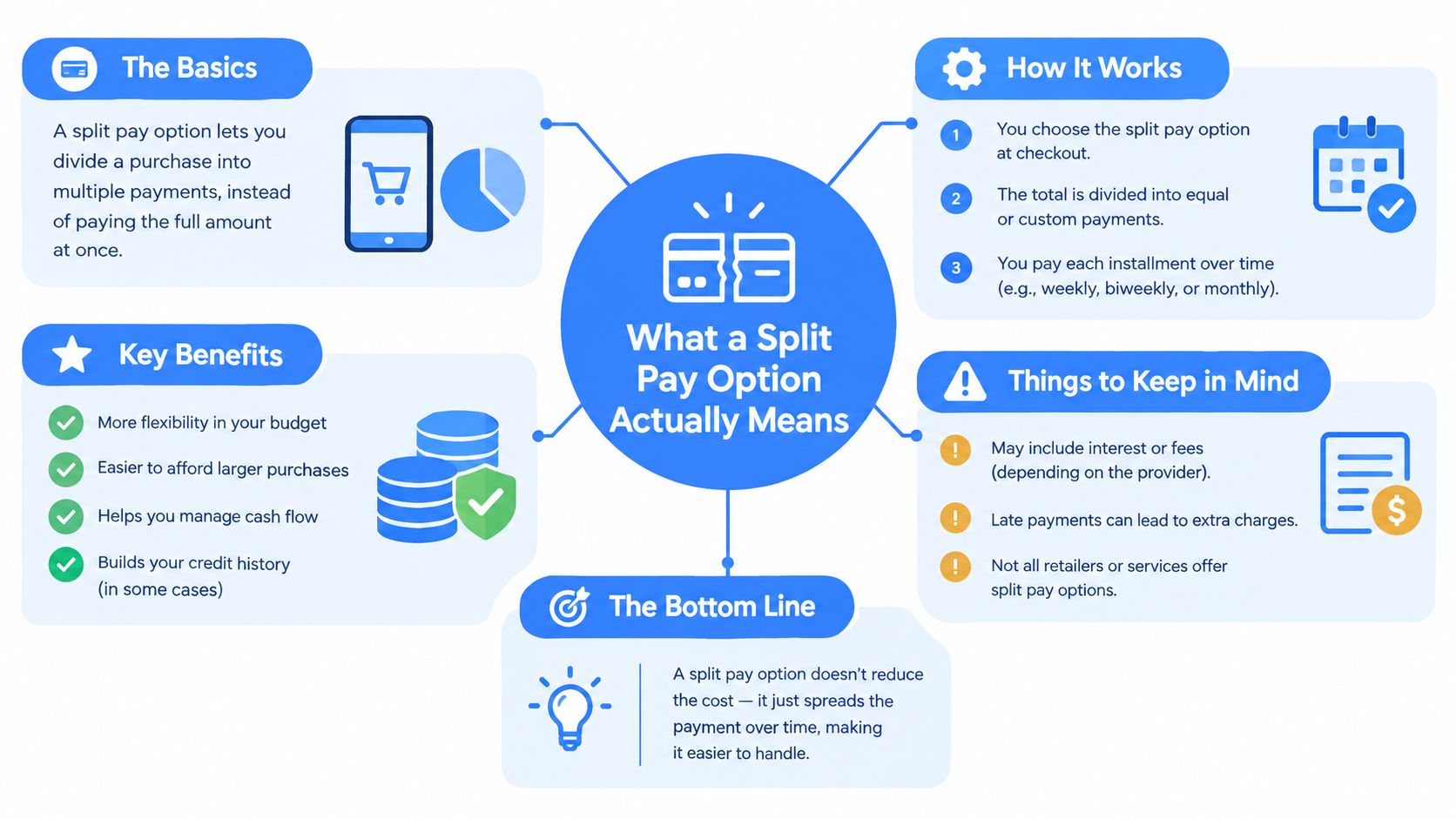
A split pay option divides one purchase into two or more amounts assigned to different payers. The group starts with one transaction, identifies each person's share, and settles those shares through linked payment methods or peer-to-peer apps.
That differs from three nearby concepts:
- Reimbursement: One person pays the full charge and collects money later.
- Shared ledger: An app records balances over time, such as who covered groceries last week.
- Split payment: The original charge is divided into separate payer amounts before settlement.
The distinction matters because a ledger can tell you that you owe a friend, but it may not tell you what part of tonight's receipt belongs to you. A reimbursement records the result after someone has fronted the money. A split pay workflow focuses on the bill in front of the group.
Practical rule: Decide whether you're dividing a purchase now or tracking a balance for later. Those are different jobs, even if both involve friends sending money.
Consider five diners sharing one restaurant bill. A per-item workflow assigns the entrée to the person who ordered it, divides a shared appetizer between the people who ate it, and then allocates tax and tip. An equal workflow assigns one-fifth of the final amount to each diner. An installment workflow handles a shared expense that people repay over a schedule rather than closing immediately.
The same principle applies outside restaurants. Roommates may need to divide rent, utilities, or a subscription bundle. If you're managing several recurring household charges, a small-landlord software guide from Rentabble can provide broader context on organizing rental administration, although that kind of software usually serves ongoing property management rather than one-off dinner settlement.
The clean mental model is this: split pay divides responsibility for the original charge, while reimbursement and ledger tools manage money owed after the fact. For a deeper comparison of the terminology, see this explanation of split billing and how it works.
The Three Main Variants of Split Pay
“Split pay” sounds like one feature, but people usually mean one of three mathematically different tasks. Choosing the right task prevents most arguments before the calculation begins.
Per-item splitting
Per-item splitting follows consumption. Each person receives the items they ordered, while shared plates are assigned to two or more people. This is the fairest choice when the orders differ noticeably.
Suppose one diner ordered an expensive steak, another had soup and a side, and three friends shared a starter. An equal split would make the lighter eaters subsidize the larger order. Per-item allocation keeps the food costs connected to the people who consumed them, then handles common charges separately.
This method also helps with dietary differences, children's meals, and group orders where some people didn't participate in every course. It takes more information than an equal split, but it answers the most precise question: who was responsible for which part of the receipt?
Equal splitting
Equal splitting divides the total amount by the number of payers. It suits situations where everyone consumed roughly the same amount or where convenience matters more than item-level precision.
A group might use it for a casual dinner with similar orders, a shared vacation rental, or a utility bill that everyone has agreed to divide evenly. The calculation is easy to explain because every participant receives the same amount.
The weakness is equally clear. Equal division treats a person who had water and a small side the same as someone who ordered multiple courses. It's a social choice, not automatically a fair consumption-based result.
Installment splitting
Installment splitting divides one person's upfront payment into scheduled contributions from several people. It's useful when the expense is shared, but the group won't settle everything at once.
For example, one friend might pay for a couch, a vacation rental, or concert tickets, while the rest of the group repay their agreed portions over time. The important variables are the amount, the participants, and the timing. Item assignment may not matter at all.
| Variant | Best For | Typical Use Case |
|---|---|---|
| Per-item | Unequal consumption | Restaurant orders with individual and shared dishes |
| Equal | Roughly even participation | Shared dinners, utilities, or group accommodation |
| Installment | Upfront payment with delayed settlement | Furniture, travel bookings, or event tickets |
A practical bill-splitting app guide can help you compare the workflows, but the decision starts with the group's agreement. Don't use an equal split just because it's available, and don't itemize a small, nearly identical order if the extra effort creates more friction than accuracy.
Why Tax and Tip Are Where Most Splits Go Wrong
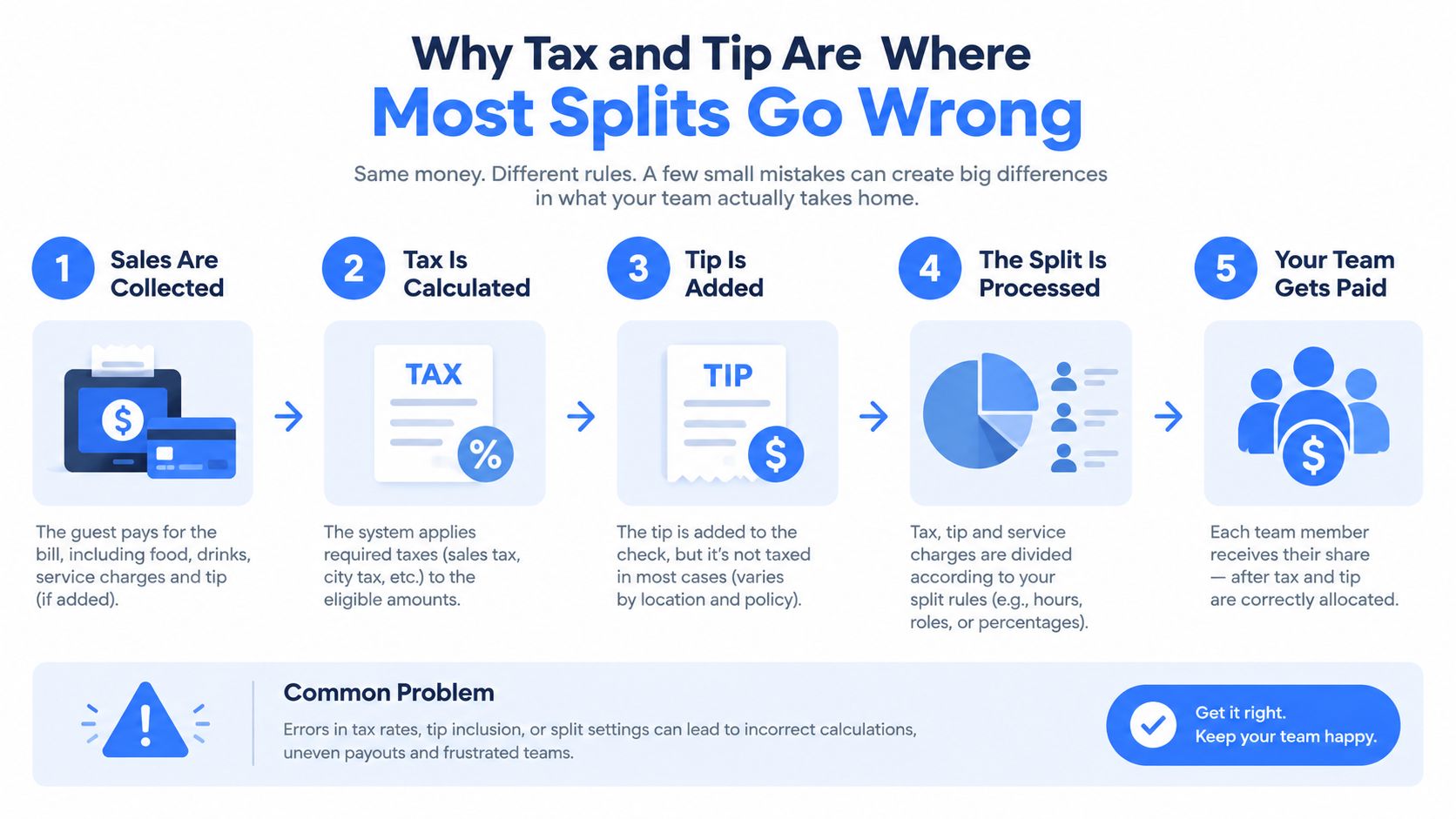
The food subtotal is usually the easy part. The trouble starts when someone divides tax and tip equally, even though the diners ordered different amounts.
Take a receipt with an $84.50 subtotal, $7.18 in tax, and $15 in tip. The grand total is $106.68. If three people ordered different amounts, assigning $2.39 of tax and $5 of tip to each person may look tidy, but it ignores how much each person contributed to the subtotal.
A proportional method starts with each diner's pre-tax share. If one person's assigned items make up about 48% of the subtotal, that person receives about 48% of the tax and tip, as described in this worked explanation of bill-splitting math. Someone with a smaller subtotal receives a smaller portion of those percentage-based charges.
The multiplier shortcut
You don't need to calculate tax and tip as separate line items for every person. Add them to the subtotal to get the grand total, then divide the grand total by the subtotal:
Grand total ÷ subtotal = allocation multiplier
Multiply each person's assigned subtotal by that multiplier. The result includes that person's proportional share of tax, tip, and other percentage-based charges in one calculation.
For the example above, the multiplier is $106.68 ÷ $84.50. Each diner's subtotal is multiplied by that result, then rounded according to the app's rules. This approach is mathematically equivalent to distributing tax and tip proportionally, and it reduces the rounding drift that can appear when overhead is allocated separately to every item.
A fair split rarely means identical totals. It means each person carries the share of the shared charges created by their own consumption.
Equal tax division creates a cross-subsidy. The person with the expensive entrée pays too little of the tax and tip, while the person who only had a small meal pays too much. For readers dealing with restaurant charges across different jurisdictions, a dine-in and takeaway VAT guide offers useful background on how food-service taxes can differ by context.
How Apps Move From Receipt to Venmo Request
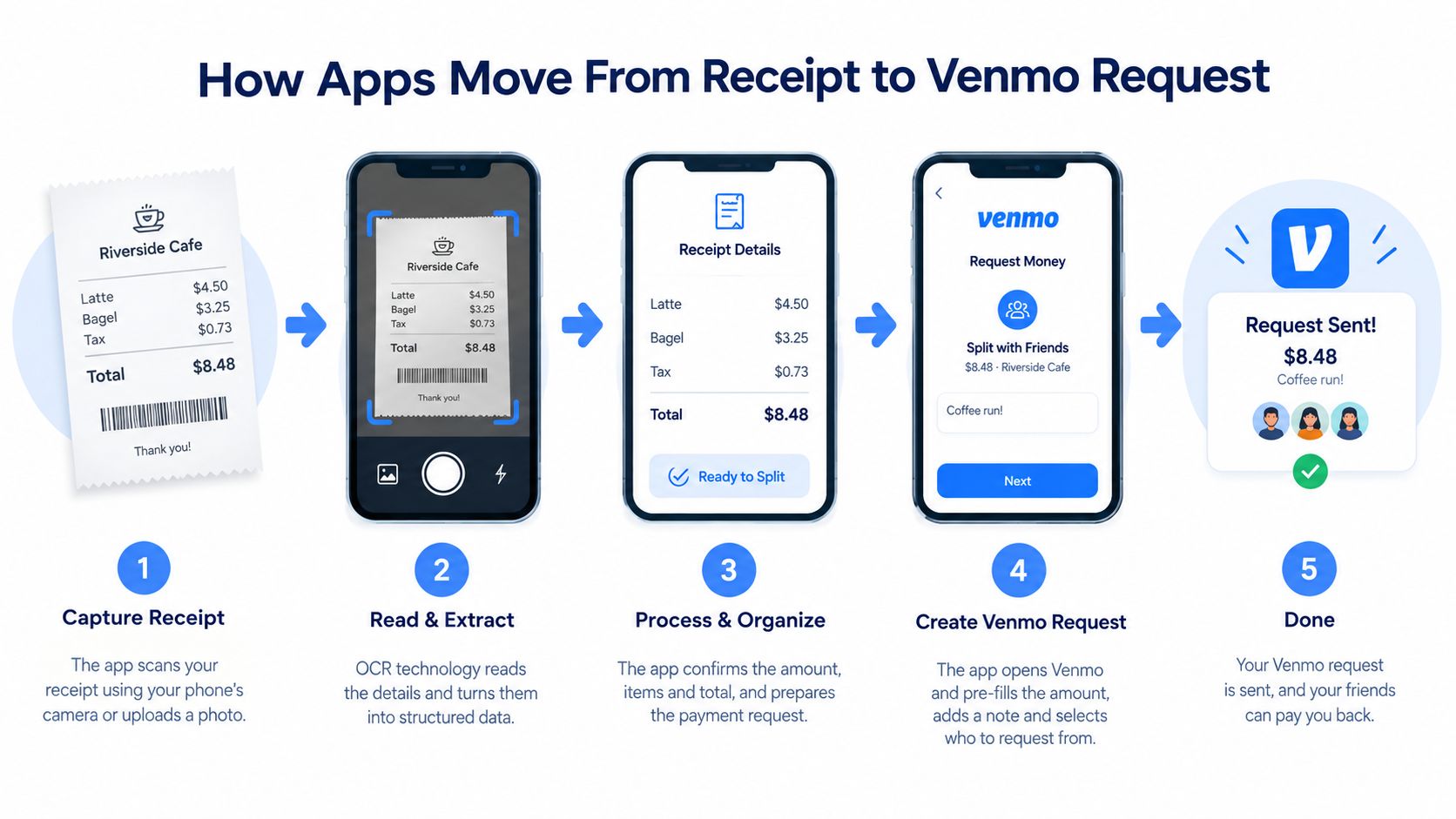
The person taking the photo may experience one smooth flow, but an OCR-based split pay system performs several connected jobs behind the scenes.
First, the camera creates usable receipt data
The app prepares the image before reading it. It corrects problems such as perspective, lighting, and orientation, then uses OCR to extract the restaurant name, line items, prices, tax, tip, and total.
The goal isn't merely to turn a picture into text. The system needs to understand which number belongs to which item and distinguish a subtotal from a final total. Receipt scanning is therefore a pipeline of image preparation, OCR, document understanding, and allocation logic, as described in this receipt-scanner technical overview.
Next, people claim their items
The organizer reviews the extracted receipt and assigns each line to a person. A tap can attach an entrée to one diner, while a shared appetizer can be divided among several people.
An auto-split setting can divide the subtotal evenly when the group prefers speed. The important part is that the app keeps the item assignment separate from the overhead calculation, so the group can change ownership without manually redoing tax and tip.
Then, the allocation engine closes the math
Once each person has a subtotal, the system applies the grand-total multiplier. That single operation assigns each diner's proportional share of tax and tip and produces a final amount for every payer.
Receipt-based tools differ from ledger apps here. A ledger can maintain balances over time, but an OCR-based workflow ties the final request to the actual line items on the receipt. It creates a tighter reconciliation loop because the group can inspect the assigned items before anyone sends money.
Finally, the app creates parallel requests
The app packages each person's total into a payment request through a supported service such as Venmo, Cash App, or Apple Pay. The requests can be sent separately, allowing the person who paid the restaurant to collect the group's shares without composing five individual messages.
The request stage still depends on the participants' payment access and willingness to respond. Automation removes manual math and repetitive typing, but it can't make a declined payment succeed or guarantee that every friend settles immediately.
Honest Trade-Offs of Split Pay Apps
A split pay app earns its place when the calculation or coordination is harder than the payment itself. It can make a mixed restaurant order easier to explain, reduce the awkwardness of asking a new coworker for reimbursement, and give the group a visible record of how each amount was formed.
The strongest advantages are practical:
- More accurate allocation: Per-item assignment distinguishes the person who ordered the steak from the person who had a salad.
- Less mental arithmetic: The app can calculate proportional tax and tip instead of relying on a napkin.
- Faster follow-up: Payment requests give each person a clear amount and a direct way to settle.
- Better transparency: Participants can review the items attached to their share before sending money.
The social benefit matters too. Asking someone you barely know to “send me whatever you think is fair” creates uncertainty. A specific request tied to an itemized receipt feels more neutral because the number has an understandable basis.
Where the convenience has limits
A third party now sits between the receipt and the payment request. Users need to trust the app's receipt reading, review misread items, and understand how the tool handles rounding, shared dishes, refunds, and partial payments.
Fees can also affect the experience, especially when an instant transfer carries a charge. The group may need to coordinate across different services, and a participant who doesn't use the selected app may require another method.
There's also a setup cost. Pulling out a phone to divide a small lunch between two people can take longer than one person paying and receiving a single transfer. A tool isn't automatically useful because it offers more controls.
Use the app when precision or coordination is the problem. Skip it when the group can settle the amount clearly in one quick exchange.
Choosing the Right Split Pay Option for Your Situation
Match the method to the social agreement, not to the app's most prominent button. Choose an equal split when the group's consumption is similar and everyone values speed. Choose per-item splitting when orders differ, shared dishes need attention, or one person's light meal shouldn't absorb another person's larger share.
Use installment splitting for recurring or delayed obligations such as utilities, rent, or subscription bundles. In those cases, timing and a stable schedule matter more than assigning individual items from one receipt.
When comparing tools, look for a workflow that lets you switch methods without entering the receipt again. It should handle proportional fees, shared items, rounding remainders, partial payments, and payment requests through services your group already uses. Offline calculation can also help when the restaurant's connection is unreliable.
Divvy is one example of an iPhone app that scans receipts with AI, lets users assign items, allocates tax and tip proportionally, and creates requests through common payment apps. You still need to review the extracted receipt, but the workflow is built around immediate settlement of one bill rather than maintaining a long-running shared ledger.
If the group is only two people and the amount is small, a direct transfer may be faster. If five people ordered differently and one person is about to become the unpaid bookkeeper, a split pay option has a clearer reason to exist.
Try Divvy for receipt scanning, item-level assignments, proportional tax and tip, and payment requests that help a group settle one bill without manual math. Upload the receipt, check each person's share, and send the requests while the details are still fresh.