Divvy logoDivvy

How to split a bill on Venmo

Venmo splits evenly out of the box. For uneven, itemized splits, compute each share first — then send individual requests. Here's the clean workflow.

What Venmo's built-in split can and can't do

Venmo lets you request money from multiple people at once and divide a total evenly among them. What it can't do is read your receipt: there's no notion of who ordered what, no shared items, and no proportional tax and tip. If everyone's order was similar, the even split is fine. If not, Venmo will faithfully overcharge the salad person — the app does the sending, but the fairness is on you.

The uneven-split workflow

  1. Itemize first. Work out each person's share — their items plus their percentage of tax and tip (see our guide to splitting tax and tip fairly).
  2. Send individual requests, one per person, each for their exact amount.
  3. Put the context in the note — "Dinner @ Fox & Fiddle — your items + tax/tip". Requests with a clear why get paid faster and argued with less.

Skip the math: Divvy fills in Venmo for you

Divvy does the itemizing and then hands off to Venmo (or Cash App, or iMessage) with the right amount attached:

  1. 1Scan the receiptEvery line item, tax, and tip read automatically.
  2. 2Tap who had whatUneven orders, shared plates, proportional tax and tip — handled.
  3. 3One tap per personDivvy opens a pre-filled Venmo request for each person's exact share. Cash App and iMessage work too.
  4. 4Friends pay like normalThey just get a regular Venmo request — no new app, no account.
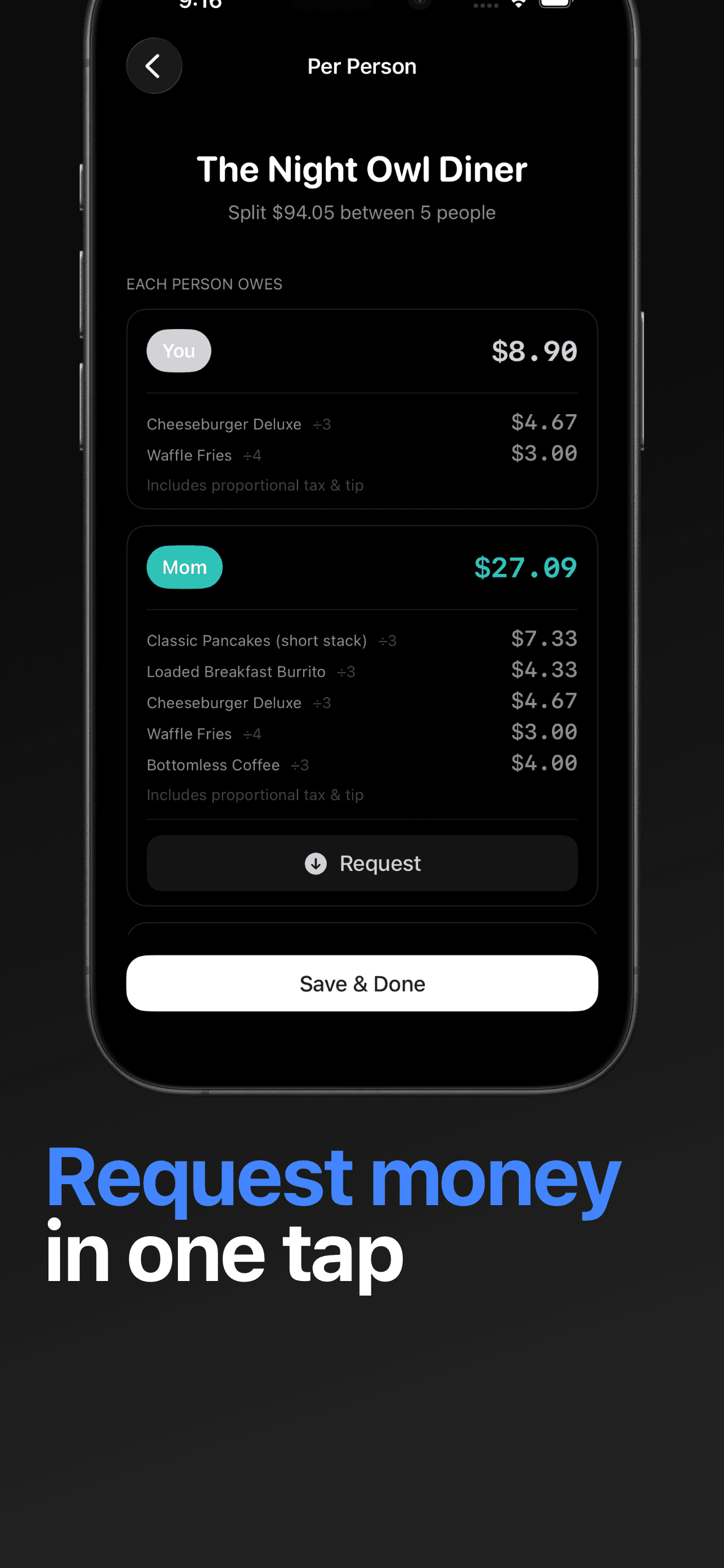
Divvy showing per-person amounts with one-tap request buttons for Venmo and Cash App
Itemized amounts, handed to Venmo with one tap each.

Venmo, minus the math

Exact shares, pre-filled into Venmo

Scan the receipt, tap who had what, and Divvy opens each request with the right amount.

Download on the App Store

Questions people ask

Can Venmo split a bill unevenly?

You can edit each person's amount when you create a group request, but Venmo won't compute uneven shares for you — it has no concept of items, shared plates, or proportional tax and tip. You do the math, Venmo moves the money.

How do I request money from multiple people on Venmo?

Tap Pay/Request, add multiple friends, enter the total, and Venmo divides it evenly (you can adjust individual amounts). For itemized amounts, calculate each share first or use a receipt-splitting app that opens pre-filled requests.

What if one friend doesn't have Venmo?

Send their exact amount another way — Cash App, iMessage, or bank transfer. Divvy shows each person's share and lets you copy the amount to any payment method your group uses.

Does Venmo charge a fee to split bills?

Requesting and paying friends from a linked bank account or Venmo balance is free. Fees apply for credit-card payments and instant transfers to your bank.

Waiting on someone who hasn't paid? How to ask someone to pay you back.

Divvy · Split bills with friends, roommates & trips. Free on iPhone.

Get Divvy — Free ▸