Divvy
DivvyExpense Split Calculator Guide for Bills and Rent
By The Divvy Team · October 2, 2026 · 17 min read
You're four coworkers deep into dinner, staring at a crumpled receipt. Two people are debating who ordered the second cocktail, while someone else is Googling how to calculate percentages. The bill could be settled in a minute, but tax, tip, shared plates, and unequal orders have turned simple addition into a group project.
An expense split calculator removes that friction. It takes a total, identifies who consumed what, applies the group's chosen rules, and produces a clear amount for each person. That might mean dividing a restaurant bill by item, sharing a ride equally, or allocating household costs according to room size or income.
The important part isn't just speed. A reliable calculator makes the rules visible, so everyone can check the result before sending money.
Table of Contents
- What an Expense Split Calculator Does and Why It Exists
- How Line-Item Splitting Works on a Restaurant Bill
- The Math Behind Proportional Tax and Tip Allocation
- Choosing the Right Split Method for Your Group
- Using the Divvy Bill Split Calculator Step by Step
- Splitting Rent and Household Expenses Fairly
- How Divvy Compares to Ledger-Style Expense Apps
- Common Payment Hassles a Good Calculator Removes
- Doing the Same Split Inside the Divvy iPhone App
- Why Itemized Splitting Has Become the Default in 2026
- Quick Reference for Your Next Bill
What an Expense Split Calculator Does and Why It Exists
An expense split calculator turns a shared cost into individual amounts. You enter a dinner bill, rent payment, shared ride, or another group expense, then choose how the cost should be allocated. The result should show who owes what and why, rather than leaving one person to explain a rough estimate in a group chat.
Mental math works when everyone orders the same thing. It becomes unreliable when one person has a salad, another orders an expensive entrée, and several people share an appetizer. Tax and tip add another layer because they apply to the bill as a whole, not neatly to each item. A spreadsheet can handle the formulas, but someone still has to build the rows, assign the items, and check the rounding.
The category exists because shared spending creates a coordination problem, not just an arithmetic problem. The early growth of tools such as Venmo's split feature and Splitwise showed that people needed a practical way to record and settle shared costs as payment apps matured, as described in the history of bill-splitting apps.
Two common forms of splitting
Restaurant splitting usually starts with line-item assignment. Each dish, drink, or shared plate is connected to the people who consumed it. The calculator then allocates tax and tip according to each person's pre-tax share.
Household splitting works at a larger scale. Rent and utilities may be divided equally, according to room size, by income, or by usage. The right method depends on what the group has agreed is fair. Divvy's explanation of split billing gives the basic idea: replace an informal total with a transparent breakdown that people can review.
How Line-Item Splitting Works on a Restaurant Bill
Start with a dinner for Alex, Bri, Chen, and Dana. The receipt total is $148.40, including the bill's tax and tip. Before allocating those extra charges, map the food and drinks to the people who consumed them.
A shared appetizer belongs to the people who ate it, not automatically to everyone at the table. The same principle applies to dessert. If Alex and Bri shared the dessert, Chen and Dana shouldn't receive a portion just because they were present.
| Item | Price | Assigned To | Split |
|---|---|---|---|
| Shared appetizer | $32.00 | Alex, Bri, Chen, Dana | $8.00 each |
| Entrée 1 | $18.00 | Chen | Chen pays $18.00 |
| Entrée 2 | $22.00 | Alex | Alex pays $22.00 |
| Entrée 3 | $24.00 | Bri | Bri pays $24.00 |
| Entrée 4 | $28.00 | Dana | Dana pays $28.00 |
| Three beers | Included in pre-tax subtotal | Assigned drinkers | Divided by the people who drank them |
| Two cocktails | Included in pre-tax subtotal | Assigned drinkers | Each cocktail follows its actual drinker |
| Dessert | $9.00 | Alex, Bri | $4.50 each |
The table is a map, not merely a list. When a dish has several names attached, divide its price among those names. When an item belongs to one person, assign its entire price to that diner. For a practical walkthrough of this process, see how to split a bill by item.
Keep an eye on the receipt's running total while you work. If the assigned rows don't reconcile to the food and drink subtotal, stop before calculating tax and tip. The most common mistake is forgetting one item, especially the second cocktail, because the receipt may list drinks in a separate area.
Practical rule: Assign consumption first. Decide how to divide tax and tip only after every pre-tax item has an owner.
The Math Behind Proportional Tax and Tip Allocation
The cleanest restaurant method is to calculate each diner's pre-tax subtotal, then give that diner the same proportion of the tax-and-tip bucket.
The formula is:
Person's tax and tip share = person's pre-tax subtotal ÷ group pre-tax subtotal × total tax and tip
In the running example, the group's pre-tax subtotal is $132.40, and the tax-plus-tip bucket is $32.00. Alex's pre-tax subtotal is $41.20, so the calculation is:
$41.20 ÷ $132.40 × $32.00 = approximately $9.96
Alex's final amount is therefore approximately $51.16, before any final cent-level adjustment. The other diners' amounts follow the same process.
| Diner | Pre-Tax Subtotal | Share of $32 Tax + Tip | Total Owed |
|---|---|---|---|
| Alex | $41.20 | Approximately $9.96 | Approximately $51.16 |
| Bri | $33.20 | Approximately $8.02 | Approximately $41.22 |
| Chen | $27.00 | Approximately $6.52 | Approximately $33.52 |
| Dana | $31.00 | Approximately $7.49 | Approximately $38.49 |
The displayed figures are rounded for readability. In an actual calculator, the final person may receive a one-cent adjustment so the individual totals add exactly to the receipt total. Use the full-precision values during the calculation, then round to the nearest cent at the end, rather than rounding every intermediate line.
An equal tax-and-tip split would give each diner $8.00 from the extra-charge bucket. That sounds simpler, but it makes the person with the inexpensive meal subsidize someone who ordered a much more expensive entrée. Proportional allocation keeps each person's extra charges tied to their actual pre-tax consumption, as explained in this guide to proportional tax allocation.
If someone's pre-tax subtotal is zero, that person's proportional tax and tip share is also zero. They should only receive an allocation if the group has explicitly agreed to treat a charge as shared.
Choosing the Right Split Method for Your Group
There isn't one correct method for every meal. The right choice depends on how different the orders are and how much precision the group wants.
| Method | Alex | Bri | Casey | Dana | Best Used When |
|---|---|---|---|---|---|
| Even split | $32.50 | $32.50 | $32.50 | $32.50 | Everyone ordered roughly the same amount |
| By item | Based on Alex's items | Based on Bri's items | Based on Casey's items | Based on Dana's items | Orders vary and the group wants food assigned directly |
| Proportional allocation | Scales with Alex's subtotal | Scales with Bri's subtotal | Scales with Casey's subtotal | Scales with Dana's subtotal | Orders, drinks, tax, and tip differ materially |
The even method is fastest, but it ignores differences. A light eater may pay more than their share, while a person ordering the most expensive meal pays less than the cost associated with their consumption.
By-item splitting is more precise for food. It can still need a separate rule for tax and tip, especially when drinks or shared plates complicate the receipt. Proportional allocation extends the same logic to the whole bill, so each person absorbs the appropriate portion of the extra charges.
Use an even split for a relaxed dinner where everyone ordered similarly. Choose by-item when the food prices vary widely and the group wants a straightforward assignment. Choose proportional allocation when drinks are uneven or tax and tip represent a meaningful part of the bill.
Using the Divvy Bill Split Calculator Step by Step
Open the web bill calculator with the receipt in front of you. The process works best when you enter the bill in the same order it appears on the receipt.
Enter the bill totals. Add the receipt total, tax, and tip, or enter the receipt amount and the relevant extra charges separately. Check that the total matches the paper or digital receipt.
Add the diners. Create a row for each person. You can either enter what someone owes directly or build the amount from the items they consumed.
Assign every item. Add the item name, quantity, and price. For shared dishes, select each person who participated. The shared price is divided among those selected diners, not automatically among the whole table.
Review the allocation. The calculator applies the proportional tax-and-tip method to each person's pre-tax subtotal. Check the names, quantities, and shared items before sending anything.
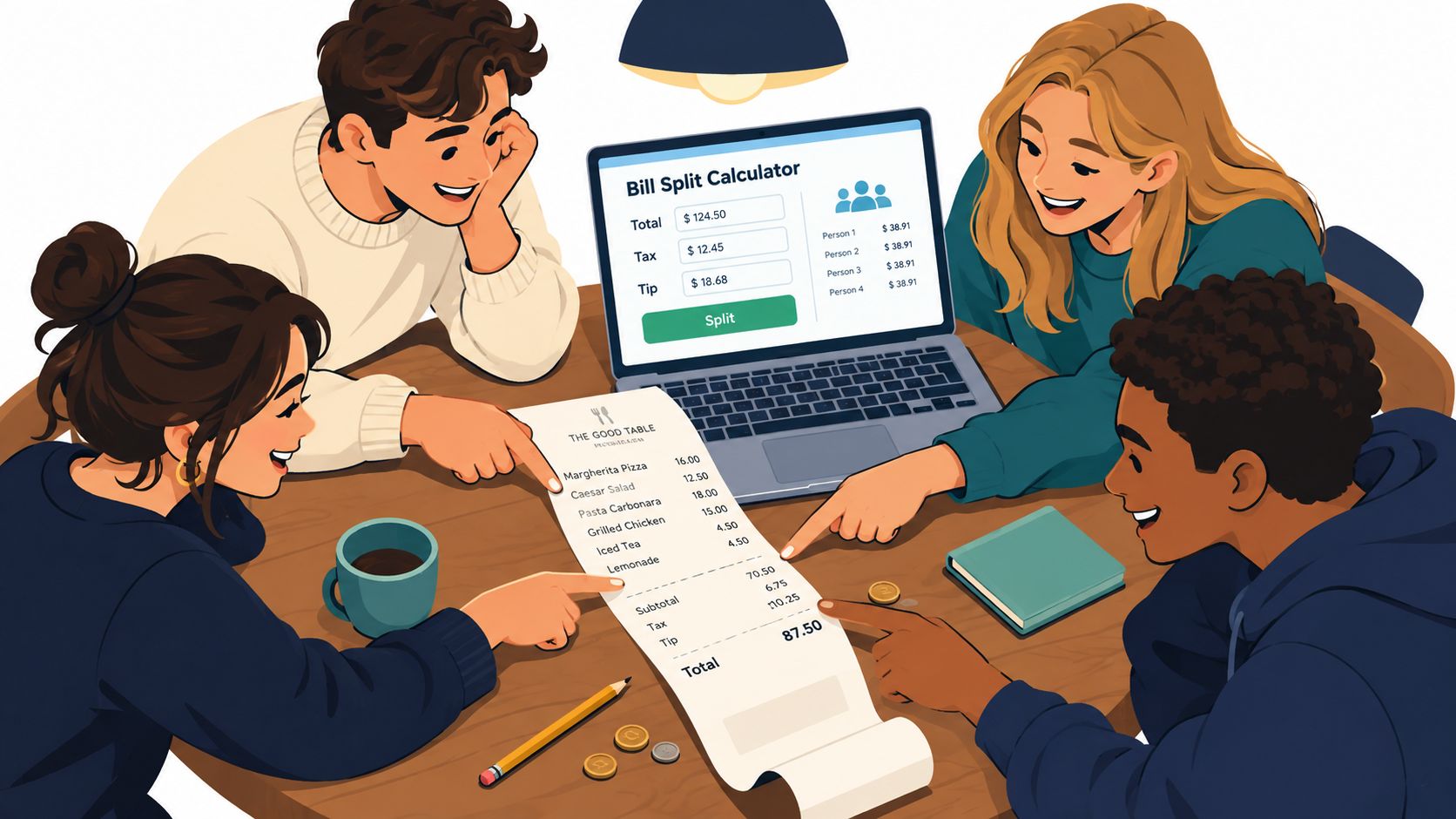
For the supplied $110 pre-tax pizza example, the final amounts are Alex $27.40, Bri $31.20, Casey $24.10, and Dana $37.30. Those figures add to $120.00, so the example's final total includes a $10.00 tax-and-tip bucket. If you're entering a different receipt, don't copy the amounts blindly. Use the actual subtotal and extra charges shown on that bill.
You can edit the tax rate to match the location, and any suggested gratuity can be overridden before finalizing. That matters when the receipt already contains a service charge or when the group agrees on a different tip.
Splitting Rent and Household Expenses Fairly
Rent doesn't require item-level assignment, but it still benefits from an explicit allocation rule. A household can divide the cost equally, adjust it for room size, or tie each person's share to income. The important step is choosing the basis before the disagreement appears.
Consider a $2,400 two-bedroom apartment. One room measures 180 square feet, the other measures 240 square feet. The roommates earn $4,500 and $7,200 per month.
| Basis | Roommate 1 | Roommate 2 | How It Works |
|---|---|---|---|
| Equal | $1,200 | $1,200 | Both pay the same amount |
| By room size | $1,029 | $1,371 | The larger room carries more rent |
| By income | $923 | $1,477 | Each share follows gross monthly income |
The room-size method uses the rooms' relative sizes. The income method uses each person's income relative to the household total. Neither is automatically right. Equal splitting may suit people with similar finances or a couple sharing a home, while proportional splitting can be more appropriate when incomes differ materially or room benefits are unequal. This approach aligns with shared household expense allocation guidance.
Keep the rule visible
Write down the selected basis and apply it consistently. Utilities such as internet, electricity, and streaming can use the same basis, or the household can choose usage-based rules where consumption differs substantially.
A rent calculator lets roommates select the basis once and reuse it for recurring costs. That creates an audit trail: each person can see the input, the weighting rule, and the resulting amount rather than receiving an unexplained monthly figure.
How Divvy Compares to Ledger-Style Expense Apps
A one-bill calculator and a ledger app solve different problems. A calculator focuses on the receipt in front of you. A ledger records many expenses over time and nets the balances later.
| Dimension | Divvy Calculator | Splitwise / Tricount |
|---|---|---|
| Main job | Settle one bill | Track a running group balance |
| Best fit | Dinner, rent calculation, or one shared charge | Trips, households, and repeated expenses |
| Input style | Items, diners, tax, and tip | Multiple transactions and payers |
| Settlement timing | Immediately after calculation | After several expenses accumulate |
| Main challenge solved | Accurate allocation | Remembering who paid across time |
Use a calculator when the difficult part is deciding how one receipt should be divided. Item assignment, shared dishes, tax, tip, and rounding all happen at once.
Use a ledger when the difficult part is memory. On a long trip, one person may pay for breakfast, another for transport, and someone else for groceries. A running balance prevents the group from having to reconstruct every payment later.
The tools can work together. Calculate the restaurant bill accurately, send the resulting requests, then record the settled transaction in a shared ledger if your group wants a longer financial history.
Common Payment Hassles a Good Calculator Removes
Most payment disputes start with an incomplete explanation. One person says, “I think you owe me $18.40, but I added the tip wrong, so maybe $19?” The uncertainty makes a small reimbursement feel negotiable.
A structured calculator replaces that message with a specific amount and a visible breakdown. It shows the assigned items, the person's pre-tax subtotal, and the tax-and-tip allocation. The recipient can check the result without asking the payer to reconstruct the arithmetic.
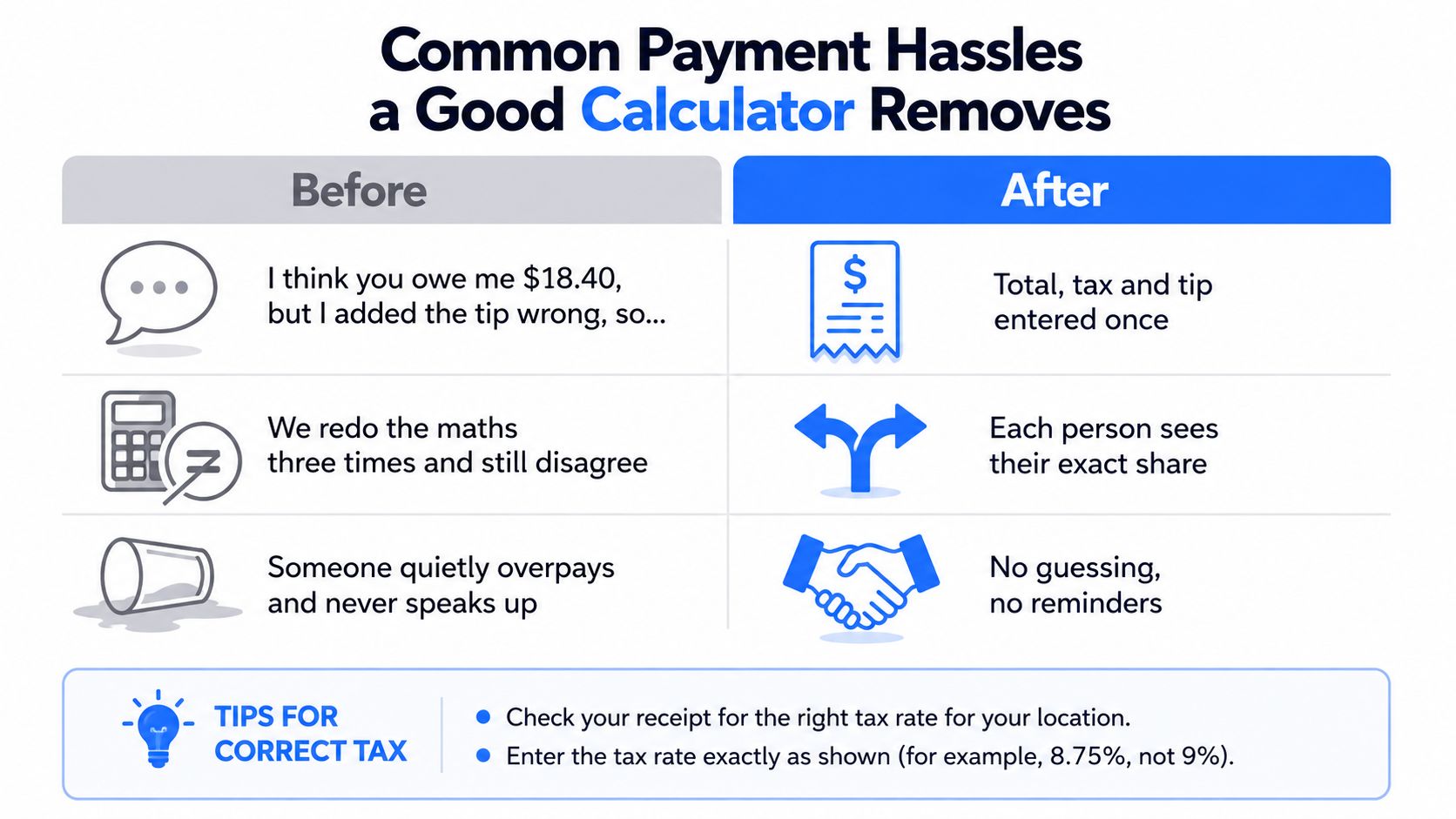
The friction it removes
- Unclear totals: “I think you owe me something around $19” becomes one exact share.
- Repeated calculations: The group doesn't have to redo tax, tip, and rounding in several phone calculators.
- Hidden subsidies: A person who skipped the expensive entrée is not billed for it.
- Shared-item confusion: The appetizer is divided among the people who partook in it.
- Follow-up messages: One clear request replaces a chain of payment reminders and corrections.
Rounding deserves a quick check. If every line is rounded independently, the total can drift by a few cents. A good process keeps precision during the calculation, rounds the final shares, and assigns any residual cent transparently.
The goal isn't to make friends behave like accountants. It's to give everyone the same answer before the awkward question arises.
Doing the Same Split Inside the Divvy iPhone App
The mobile flow is designed for the moment when the check arrives and nobody wants to type the whole receipt manually.
First, open the iPhone app, tap the camera icon, and scan the receipt. Receipt scanning reads the line items, tax, and tip so you can review the extracted information rather than entering every row from scratch.
Next, tap each item and select the diners who consumed it. A shared dish can be attached to several people, while a personal drink remains assigned to one person. Review the item list carefully, especially when the receipt has multiple drinks with similar names.
The third move is the allocation review. Tax and tip follow each person's pre-tax subtotal, but you can adjust the result if the receipt contains a manually added flat gratuity or another charge that doesn't fit the default rule.
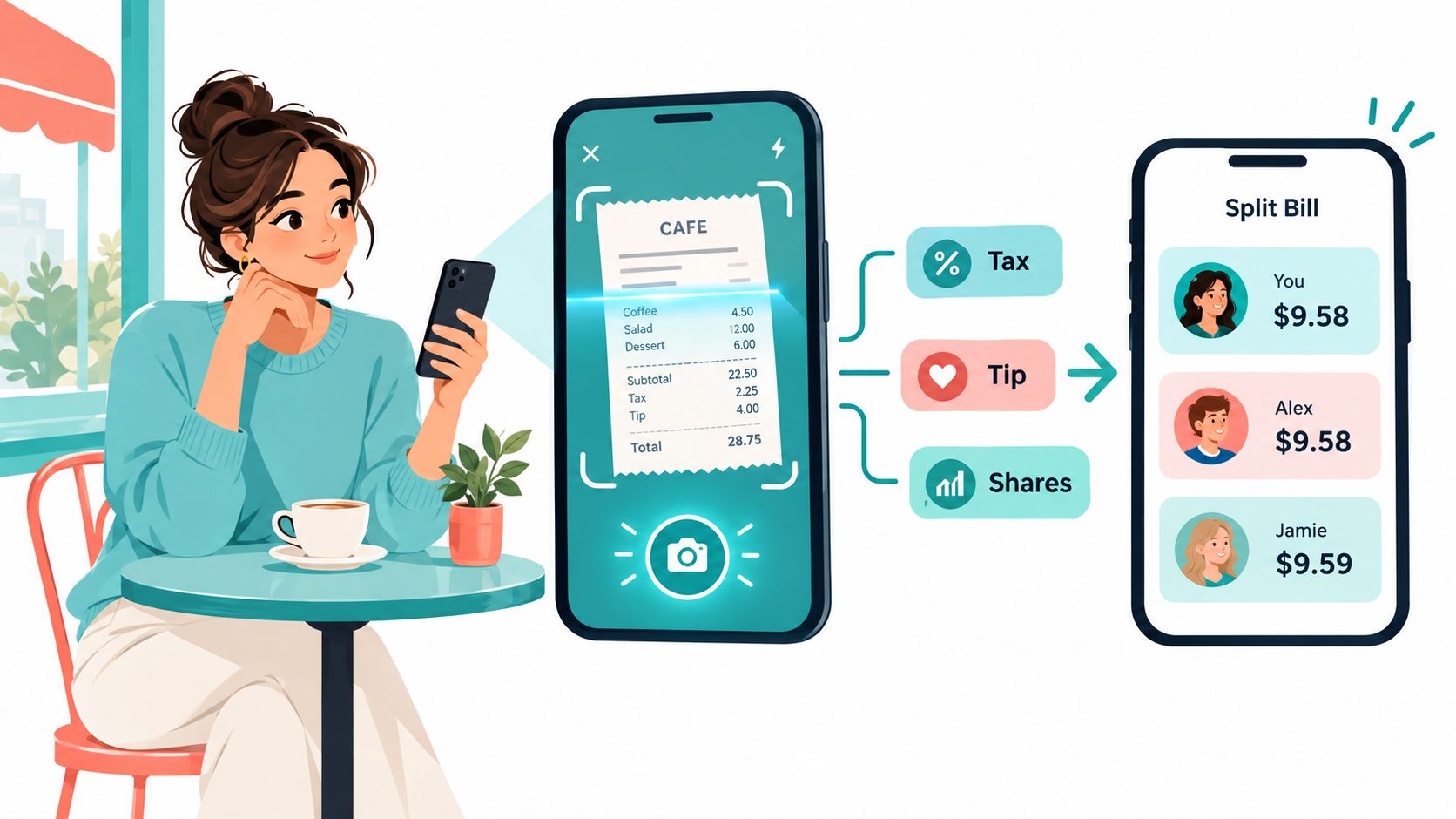
Finally, tap the request option and send each person their amount through a supported payment service. The itemized receipt remains connected to the request, which gives the group a shared reference if someone questions a charge.
Why Itemized Splitting Has Become the Default in 2026
People increasingly expect a split tool to understand the receipt, not just divide its total. Receipt scanning, digital tipping, shared subscriptions, household tracking, and group travel have all made item-level allocation feel like a normal part of payment.
That expectation reflects a broader market shift. One industry estimate valued the global bill-splitting-app segment at USD 512.5 million in 2024, with North America accounting for more than 40% of revenue, according to bill-splitting market research. Another forecast places the market at USD 657.72 million in 2026 and USD 1.005 billion by 2032, implying a 7.34% CAGR, as reported in the same research stream.
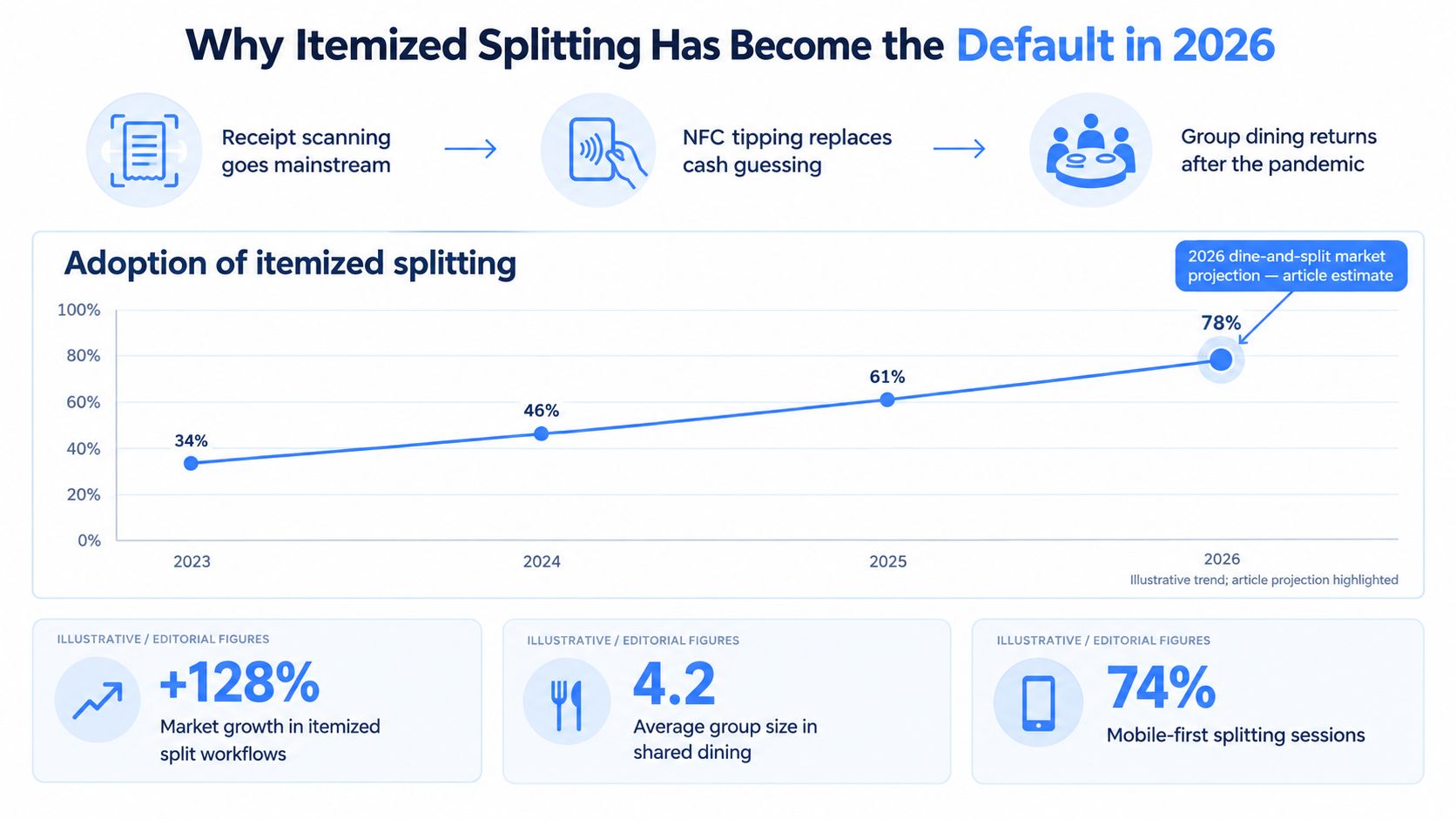
The numbers describe the wider category, not a guarantee about any individual calculator. They do show why automated expense sharing has become commercially meaningful. The same research connects adoption with mobile payments and the sharing economy, while other market analysis points to more than 570 bill-splitting apps globally by 2024 and more than 34 million monthly active users on top-tier platforms in its category overview.
Proportional tax allocation now fits the same expectation. Once the receipt is already itemized, assigning each person the appropriate share of tax and tip is a natural final step.
Quick Reference for Your Next Bill
Expense split calculator: A tool that converts one shared expense into individual amounts. It applies the rule your group chooses, such as equal, by item, by room size, or by income.
Bill split: The process of dividing a restaurant, transport, or other one-time receipt. Start with each person's items and handle shared charges explicitly.
Rent split: A recurring allocation for household housing costs. Common bases include equal shares, room size, and income.
Proportional allocation: A method where each person's share follows a selected weighting variable. For a restaurant bill, that variable is usually the person's pre-tax subtotal.
Core formula
Share = person subtotal ÷ group subtotal × (subtotal + tax + tip)
For a bill where subtotal, tax, and tip are entered separately, the equivalent practical process is:
- Confirm the receipt total. Make sure the entered figures match the bill.
- Mark who had what. Assign personal items and select everyone who shared a dish.
- Calculate each subtotal. Add the assigned portions before tax and tip.
- Apply the formula. Allocate the extra charges in proportion to each subtotal.
- Check the cents. Round final shares and confirm that they reconcile to the receipt.
Edge cases
- Shared appetizers: Divide the item among the people who ate it.
- Weight-based drinks: Use the actual price shown for each person's portion.
- Tax-inclusive menus: Treat the displayed price as the relevant subtotal only if the receipt confirms tax is already included.
- Tip-only rounds: If the group agrees to split the tip separately, document that rule before calculating.
If everyone is willing to itemize, itemize. Use an even split only when the group is ordering meals at roughly the same price.
Divvy offers web calculators for bill and rent splitting, plus an iPhone app that scans receipts, assigns items, allocates tax and tip, and creates payment requests. Try the workflow on your next shared receipt by visiting Divvy, then let the itemized breakdown settle the math before the group chat starts negotiating.