Divvy
DivvyReceipt Scanner and Organizer App Explained Simply
By The Divvy Team · September 6, 2026 · 18 min read
You're at a restaurant table, the receipt has arrived, and everyone remembers ordering something different. One person shared the fries, another skipped dessert, and the tax and tip still need to be divided fairly. Taking a photo of the bill helps you keep a record, but it doesn't answer the more urgent question: who owes what right now?
That's where a receipt scanner and organizer app becomes more than a digital folder. It can turn a paper receipt into structured information, identify items and amounts, organize spending, and, in some cases, prepare each person's share for payment. The useful outcome isn't merely a searchable image. It's a clear path from receipt to reimbursement.
The category is growing beyond occasional document capture. Independent market research estimates that the global receipt scanner app market was valued at about $1.066 billion in 2025 and is projected to grow at a 10.7% compound annual growth rate through the early 2030s (independent receipt scanner app market research). That growth reflects repeated use in expense-heavy workflows, including meals, travel, and business records.

This guide explains how these apps work, which features affect accuracy, when instant item-level splitting beats a running expense ledger, and what privacy questions deserve attention. It also separates ordinary receipt archiving from settlement-focused tools such as Divvy, which is designed around assigning items and collecting each person's share. For broader guidance on keeping receipts useful for financial records, the HireAccountants receipt guide offers helpful context.
Table of Contents
- Introduction to Receipt Scanner and Organizer Apps
- How Receipt Scanning and Organization Actually Works
- Key Features to Look for in a Receipt Scanner and Organizer App
- Real World Use Cases for Everyday Spending
- Receipt Scanner Apps Versus Ledger Style Expense Trackers
- Accuracy Privacy and Reliability Considerations
- How to Choose and Get the Most From Your App
Introduction to Receipt Scanner and Organizer Apps
A receipt scanner and organizer app usually performs three jobs. It captures a paper receipt with a phone camera, converts the image into searchable information, and stores that information so you can find or use it later. More capable apps add categories, exports, accounting connections, reimbursement workflows, or bill-splitting features.
The distinction matters because a scanned image and structured receipt data aren't the same thing. A photograph lets you look at the receipt. Structured data lets an app identify the merchant, date, individual items, tax, tip, and total, then use those fields in a calculation. If four friends split one meal, that second capability is much closer to a settlement engine than a filing cabinet.
The practical test: If the app only saves a picture, it preserves evidence. If it understands the contents, it can help make decisions.
Consider a group ordering shared plates. A basic scanner might save the receipt under a date or merchant name. An organizer might categorize it as dining and make it searchable. A settlement-focused app goes further by letting you assign the noodles to one person, split the dumplings among three people, and distribute tax and tip according to each person's share.
That workflow removes a common source of friction. Nobody has to remember every item, recreate the receipt in a spreadsheet, or estimate tax and tip from the final total. The group can review the result while the meal is still fresh.
What these apps organize
Organization can mean several different things, so check the app's actual workflow rather than relying on its label.
- Digital copies: The app stores receipt images or PDFs for later reference.
- Extracted fields: OCR identifies text such as the merchant, date, subtotal, tax, and total.
- Categories and tags: The app groups purchases into areas such as food, travel, supplies, or household costs.
- Reports and exports: You can send receipt information to a spreadsheet, accounting system, or reimbursement process.
- Settlement details: A specialized tool connects line items to people and creates payment requests.
The best choice depends on the problem you're trying to solve. Someone preserving receipts for a return may need clean images and reliable search. A freelancer preparing expense records may care more about categories and exports. Friends dividing a restaurant bill need item recognition and fast assignment.
A useful mental model is simple: storage answers “where is the receipt?” Organization answers “what was purchased?” Settlement answers “who pays?” A good receipt scanner and organizer app may support all three, but not every app gives them equal attention.
How Receipt Scanning and Organization Actually Works
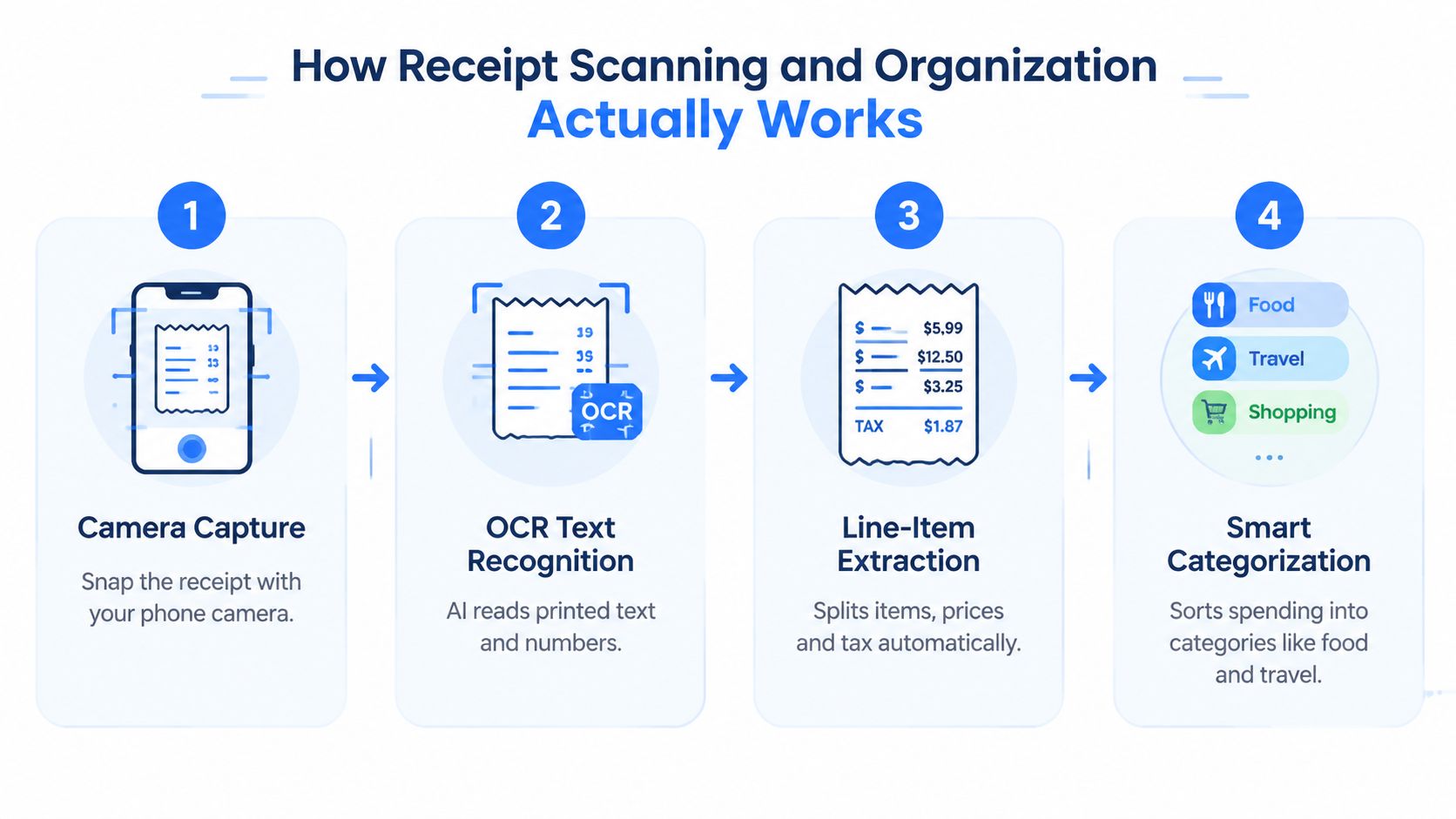
The process begins with a camera image, but the camera is only the first step. The app must transform a two-dimensional photograph into fields that software can understand. Think of it as a translator turning a messy note into a spreadsheet.
Step one captures the document
You point the phone at the receipt and take a photo. Edge detection may identify the paper, while image processing adjusts perspective, shadows, and contrast. A flat, well-lit receipt gives the system a cleaner starting point than a curled receipt photographed under a dim restaurant light.
Good capture habits still matter. Place the receipt on a contrasting surface, keep the camera parallel to the paper, avoid glare, and make sure the bottom line is visible. Automation can correct some problems, but it can't reliably recover information that was cut off or hidden by a fold.
Step two recognizes text
OCR, or optical character recognition, reads printed characters from the image. Traditional OCR tools remain widely used, including Tesseract, while deep-learning approaches are increasingly used for receipt and invoice extraction, according to a recent academic review of invoice and receipt OCR.
The difference is important because receipts aren't designed like clean documents. They may contain narrow columns, abbreviated item names, faded thermal print, logos, multiple totals, and tax lines that resemble ordinary prices. AI-assisted document understanding helps the system interpret layout and context rather than just reading isolated characters.
For a plain explanation of the underlying technology, see this guide to what OCR technology does. OCR is the reading layer, not the complete financial logic.
Step three extracts fields and relationships
After recognizing text, the app tries to determine what each piece means. It may identify a merchant name, connect an item description to its price, distinguish subtotal from tax, and locate the final total. Line-item extraction becomes more valuable than generic text recognition.
Amount recall deserves special attention. One independent benchmark measured 99.96% character accuracy on clean scans, 99.0% on degraded scans, and 100% price recall (independent receipt OCR benchmark). The lesson isn't that every receipt will produce those results. It's that finding every monetary amount can matter more than producing a generally readable text transcript.
A missed item can alter one person's balance. A missed tax or tip can make the group total fail to reconcile. That's why a responsible app should show extracted values for review rather than treating every scan as unquestionable.
Step four organizes the result
Once fields are extracted, the app can categorize the purchase, add searchable labels, attach notes, and prepare exports. Some platforms connect the data to accounting software. Others focus on personal records or immediate sharing.
A PDF workflow can still be useful when you need a stable visual copy. For guidance on scanning documents to PDF in 2026, look for methods that preserve readability and make files easy to retrieve. The key distinction remains: a PDF preserves the document, while structured extraction makes its contents usable in calculations.
Key Features to Look for in a Receipt Scanner and Organizer App
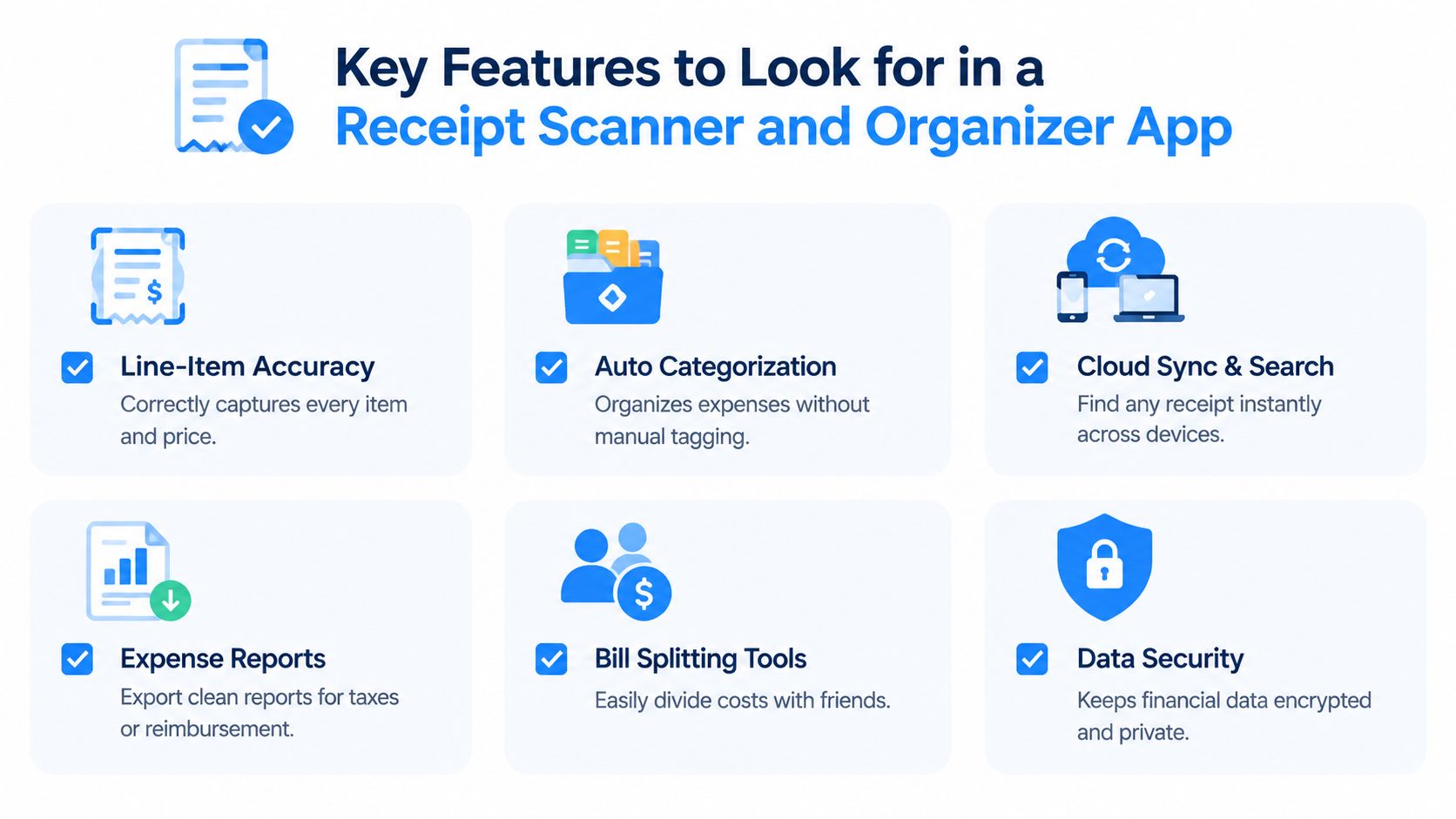
Choosing an app by its camera interface alone is a mistake. The important question is what happens after the photo is taken. A polished scanner that misses a line item may create more correction work than a simpler tool that makes review straightforward.
Start with the fields that affect money
Line-item accuracy should come first if you split meals, trips, or household purchases. Merchant name and date are useful, but the app must also connect each product or service to the correct price.
Tax and tip handling follows closely. A system that reads the final total but ignores tax and tip may still leave you doing the hardest part manually. For shared meals, look for proportional allocation, even splitting for shared dishes, and a visible calculation that people can check.
Assignment tools determine whether the app supports settlement or merely recordkeeping. Tap-to-assign workflows are easier to verify than a single shared total, especially when several people ordered different items.
Compare the practical differences
| Feature | Why It Matters | What Good Looks Like |
|---|---|---|
| Line-item extraction | A missing item can change an individual balance | Every item has a visible description and amount |
| Tax and tip logic | Final totals include costs beyond food or merchandise | The app shows how shared charges reach each person |
| Search and tags | Receipts disappear quickly in an unstructured camera roll | You can search by merchant, date, category, or note |
| Assignment and splitting | Shared purchases need a clear ownership model | Items can be assigned individually or divided evenly |
| Export and integrations | Records may need to leave the app | Reports or files retain useful fields and receipt images |
| Settlement and reminders | A correct calculation doesn't guarantee repayment | Payment requests and follow-ups support completion |
Look beyond the feature label
“Cloud sync” sounds convenient, but ask whether you can access receipts across devices, whether offline capture works, and how long records remain available. “Expense reports” may mean a detailed export, or it may mean a simple list with limited editing.
Data security also belongs on the essential list. Financial receipts can reveal merchants, locations, purchasing habits, and relationships between people. Read the privacy policy for storage, deletion, sharing, and third-party processing terms before uploading a large archive.
A useful buying rule: Test the app with one clean receipt, one awkward receipt, and one receipt containing shared items. The correction experience tells you more than the feature page.
Finally, distinguish must-have functions from pleasant extras. Automatic categories are convenient, but they matter less than correct totals if your immediate job is splitting dinner. Conversely, a tax-report export matters more to a freelancer than a payment-request button.
Real World Use Cases for Everyday Spending
A receipt scanner and organizer app looks different depending on who needs the result. The same image can become a tax record, a reimbursement document, or a list of personal balances.
Friends sharing a restaurant bill
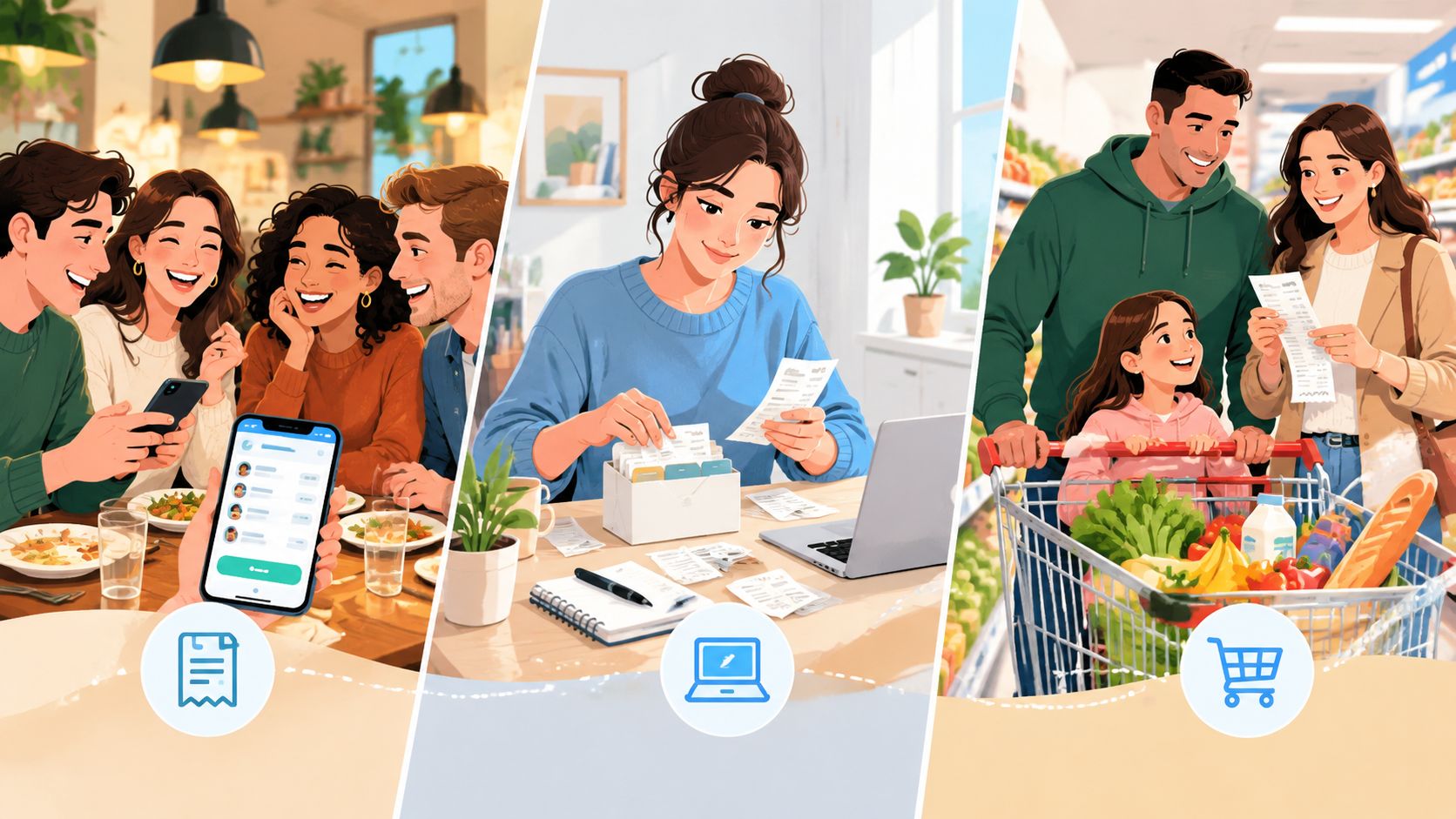
Four friends order several dishes. One person eats the burger, two people share the noodles, and everyone tries the fries. A ledger-style app can record that one person paid, but the group still needs to reconstruct the meal before creating balances.
A line-item splitting workflow handles the receipt at its source. The payer scans it, assigns the burger, divides the noodles, and marks the fries as shared. Tax and tip are then allocated according to each person's assigned share, producing totals that reflect consumption rather than dividing the final amount blindly.
A specialized tool such as Divvy supports this kind of iPhone workflow with AI receipt scanning, item assignment, proportional tax and tip allocation, payment requests through Apple Pay, Venmo, or Cash App, and reminders for unsettled balances. Friends don't need to install the app or create accounts to receive a request, which reduces coordination friction.
A traveler requesting reimbursement
A traveler has hotel, meal, and transportation receipts scattered across a phone gallery and a bag. Here, search, categories, export, and receipt-image retention matter more than instant friend-to-friend settlement.
The traveler can capture each receipt soon after purchase, check the merchant and total, add a project or trip label, and export a report later. A good workflow keeps the image attached to the extracted fields, so a manager can verify the source rather than relying on a typed amount alone.
The best app for this job may be an expense platform with approval tools or an accounting connection. A social bill-splitting app could calculate who owes whom perfectly and still be the wrong choice for formal reimbursement.
Roommates dividing shared costs
Roommates often share groceries, cleaning supplies, utilities, and household purchases without consuming every item equally. A receipt organizer helps preserve the record, but the allocation rules must match the household agreement.
One receipt may be divided evenly. Another may assign personal products to one roommate and common supplies to everyone. The app needs editable assignments, notes, and a clear history so the group can resolve questions without searching through text messages.
For recurring household costs, a rent or expense calculator may be more appropriate than itemizing every receipt. The right workflow depends on whether the group wants to settle one purchase immediately or maintain an ongoing view of shared obligations.
Receipt Scanner Apps Versus Ledger Style Expense Trackers
A receipt scanner app and a ledger-style expense tracker solve different timing problems. The scanner starts with a document and extracts what happened. The ledger starts with people, accounts, or categories and tracks balances over time.
Suppose Alex pays for dinner tonight. An instant settlement workflow asks, “Which items belong to Sam, Priya, and Alex, and how much should each person send?” Once the requests go out and the balances clear, the transaction is finished.
A ledger asks a broader question: “How much does Sam owe Alex across all shared activity?” That model is useful when the group wants to postpone settlement, combine many purchases, or maintain a running household balance.
Instant settlement suits clear, separate events
Per-item assignment is often faster when the group is standing around after a meal or when a trip organizer wants to close one expense immediately. The receipt provides the source of truth, and each person's share comes from the items connected to them.
A settlement-focused workflow can also reduce the social cost of repayment. Instead of sending a vague message that says “send me some money for dinner,” the payer sends a specific request tied to a visible calculation. Existing payment tools can handle the transfer, so recipients don't necessarily need to join a new shared system.
Ledgers suit ongoing shared finances
A ledger remains valuable for a long trip, a shared home, or a group that deliberately settles at the end. It can combine rent, groceries, fuel, tickets, and other expenses into one balance.
The trade-off is administrative. Someone must enter each transaction correctly, decide who participated, and maintain the running record. A receipt scanner can reduce data entry, but it won't automatically make a ledger's rules simple.
For readers trying to gain control of their expenses, the decision rule is straightforward:
- Choose settlement-first tools when one receipt needs accurate, immediate repayment.
- Choose ledger tracking when many expenses should accumulate before anyone pays.
- Use both approaches when a group needs item-level capture now and broader accounting later.
Don't choose based on whether an app can store receipts. Choose based on when the financial relationship should end.
Accuracy Privacy and Reliability Considerations
OCR accuracy depends heavily on the receipt and the task. A flat, high-contrast scan is easier than a curled photograph with glare. A system that recognizes most words may still fail if it misses one price, confuses subtotal with total, or assigns a charge to the wrong line.
Independent evaluation has identified common trouble spots, including receipts that aren't flat and situations where the app must choose between multiple detected shapes. User feedback also describes occasional failures with totals, tax, or tip (industry discussion of receipt scanner limitations). These are especially serious in bill splitting because one small extraction mistake can change several balances.
Measure the workflow, not just the scan
A benchmarking guide recommends testing at least 1,000 receipts to estimate accuracy with about a 3% error margin at 95% confidence (receipt OCR benchmarking guidance). That recommendation highlights why a handful of clean demo receipts can't establish real-world reliability.
For personal use, you don't need to build a formal benchmark. You should still test varied receipts and review:
- Every line item: Check that descriptions and prices match the paper.
- Money fields: Confirm subtotal, tax, tip, discounts, and final total.
- Assignments: Make sure shared items and personal items have the intended owners.
- Corrections: See whether fixing an error is quick and visible.
Before sending money: Verify that the extracted total matches the receipt and that the individual shares add up to the amount charged.
Privacy changes when the app uses the cloud
A receipt image can contain more than a price. It may reveal where someone was, what they bought, when they bought it, and who shared the expense. Cloud synchronization and AI processing can make the workflow convenient, but they also raise questions about storage location, retention, deletion, and cross-border transfers.
Industry analysis identifies privacy, cloud storage, cross-border data movement, integration complexity, and freemium pressure as important concerns in the category (receipt scanner privacy and market analysis). Before uploading records, check the privacy policy and terms for:
- Processing: Whether images are analyzed by the provider or third parties.
- Retention: How long original images and extracted fields remain stored.
- Deletion: Whether you can delete individual receipts and permanently close the archive.
- Access: Which devices, collaborators, or integrations can view the data.
- Limits: Whether free storage or retention rules change after a trial or plan limit.
For a focused discussion of safety questions, review whether receipt scanning apps are safe. Convenience is valuable, but users should understand the data bargain before treating an app as a permanent financial archive.
How to Choose and Get the Most From Your App
Start with the job, not the brand. If you only need digital copies, prioritize image quality, search, export, and local or transparent storage. If you prepare business records, look for categories, reports, integrations, and reliable field editing. If you need to close a restaurant bill immediately, prioritize line-item recognition, assignment, proportional tax and tip, and payment requests.
Use this short selection flow:
- Define the endpoint: Are you archiving, reimbursing, budgeting, or settling?
- Test difficult receipts: Include curved paper, faint print, multiple taxes, and shared items.
- Review before sharing: Compare the extracted total and assignments with the original.
- Check data terms: Confirm storage, retention, deletion, and third-party access.
- Choose the smallest workflow that works: More features can mean more setup, not better results.
On the first scan, capture the whole receipt, wait for extraction, and correct fields while the purchase is still easy to remember. Keep the original image attached, especially when the data will support reimbursement or a dispute.
For iPhone users who want immediate item-level settlement, Divvy provides a tap-to-assign workflow, automated reminders, payment requests through common payment apps, and web calculators for bill and rent splitting. Before subscribing to any receipt product, it's also useful to understand how receipt scanning apps make money, since plan limits and storage policies often shape the everyday experience.
Divvy turns a photographed receipt into assigned items, proportional tax and tip, and payment requests that help groups settle without manual math. If your next shared meal, trip expense, or household purchase needs a clear answer to “who pays what,” visit Divvy and try the settlement-focused workflow.