Divvy
DivvyHow Do I Tip Uber Eats: App, Cash, and Timing
By The Divvy Team · September 14, 2026 · 12 min read
You're at the Uber Eats checkout screen, your food is already selected, and the app is suggesting a tip before you place the order. The amount feels either too high for a small meal or too low for a long drive, so you pause and wonder, “How do I tip Uber Eats fairly?”
The practical answer is simple: tip in the app when you can, use a flat amount for small orders, and increase it when the delivery requires extra effort. The harder part is knowing when the app shows the option, how long you can change it, and whether the suggested amount reflects the work your driver is doing.
Table of Contents
- The New Reality of Food Delivery Tipping
- Navigating the In-App Tipping Workflow
- Calculating a Fair Amount for Every Order
- Weighing In-App Gratuity Against Cash
- Splitting the Bill and the Tip with Friends
- Answers to Common Tipping Edge Cases
The New Reality of Food Delivery Tipping
The tipping screen isn't just a neutral payment detail. Its timing can change whether customers tip at all.
Uber Eats may present tip options on the final screen before you place the order. After delivery, the app can also prompt you to rate the driver and leave a tip, and Uber says a completed order can accept a tip for up to 40 days after delivery, depending on the applicable workflow and market. You may see preset percentages, preset amounts, or a custom option such as “Other” or “Edit.” (Uber Eats' tipping guidance explains the available options)
That flexibility creates a common trap. At checkout, you may choose a suggested amount before you know whether the courier will find parking, climb stairs, handle a large order, or arrive during difficult weather. After delivery, you may have a better basis for deciding, but the prompt can be easier to miss.
Practical rule: Treat the app's suggested tip as a starting point, not as a verdict on what the delivery is worth.
Recent interface changes make this more important. New York City's Department of Consumer and Worker Protection reported that Uber Eats and DoorDash changed their tipping flows in December 2023, moving customers away from the earlier tipping experience. The city reported that average tips on those platforms fell to $0.76 per delivery, compared with $3.66 two years earlier, and estimated $554 million in lost worker tip earnings since the change. (Read the DCWP report on changed tipping flows and worker earnings)
That doesn't mean every market uses the same screen or timing. It means the interface deserves attention. A tip that's visible before checkout is easier to remember than one buried in the order history after the food arrives.
For broader context on etiquette, you can compare the app experience with these tipping standards in the United States. The old percentage rule still has value, but modern delivery apps make visibility, timing, and customization part of the decision.
Navigating the In-App Tipping Workflow
Uber Eats gives you more than one opportunity to leave a tip. The exact labels can change by region and app version, but the basic path is familiar.
At checkout, look at the final screen before placing the order. If tip choices appear there, select one of the preset amounts or percentages, or choose the custom option if the suggested choices don't fit the delivery. This is useful when you already know the order will be demanding, such as a large group meal or a delivery to a building with difficult access.
If you skip the tip before ordering, check the order after delivery. Open Uber Eats, go to your account or order history, select the completed order, and look for an option such as “Leave a tip,” “Tip,” or “Add or change tip.” Uber's help pages describe tipping as optional and explain that customers may receive a recommended amount while still having the ability to adjust it. (See Uber's instructions for adding or changing a tip on a past order)
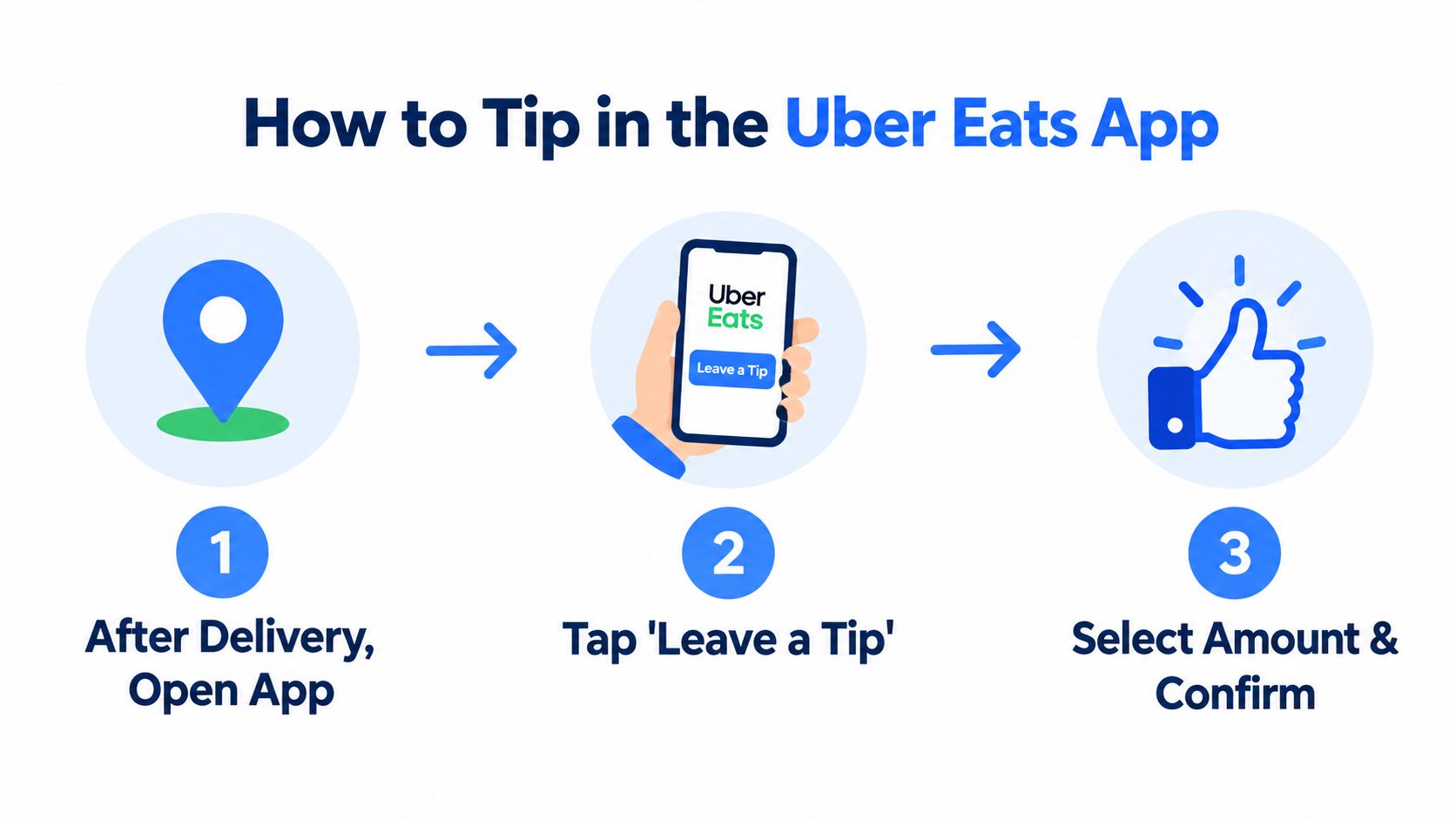
Editing a tip after delivery
Don't assume every customer sees the same deadline. One Uber regional help page describes a tip-editing window of up to one hour after delivery, while another says a completed-order tip can be added for up to 40 days. Uber's own documentation makes clear that the timing is market-specific, so check the order screen rather than relying on advice from another country or an older tutorial.
You can usually choose a preset percentage or amount, then use “Other” or “Edit” to enter a custom figure. If you forgot to tip, open the completed order as soon as you remember. If the courier did something especially helpful, you can use the same area to increase the amount when your market allows changes.
For a visual walkthrough, watch this short guide to the Uber Eats tipping process:
If the tip option isn't visible, update the app, confirm you're viewing the correct completed order, and check whether the delivery is still within the allowed adjustment period. For payment or refund problems, use Uber Eats support rather than trying to solve a restaurant mistake through the driver's tip.
Calculating a Fair Amount for Every Order
A percentage works well for a normal restaurant order, but it breaks down on very small or unusually large deliveries. A driver spends time accepting, collecting, transporting, and handing over the order whether the food total is modest or substantial.
My recommendation is to use a flat minimum for small orders, then use a percentage as a reference for larger meals. Don't let a low subtotal produce a token tip when the delivery still requires a meaningful trip.
A practical decision model
Start with the food total, but adjust for the delivery itself. Distance, difficult parking, stairs, heavy bags, bad weather, late-night timing, and a large number of items all justify moving above the app's lowest suggestion. A restaurant error isn't automatically a delivery failure, so separate missing food or incorrect preparation from the courier's performance.
For a group order, percentage tipping can make sense because the driver is carrying more food. For a single inexpensive item, a flat amount is usually fairer than applying a percentage that produces very little.
If you're trying to keep the entire order within a daily food budget, a guide to how to budget for food daily can help you account for delivery and gratuity before ordering. Budgeting for the tip at the start prevents the checkout total from making you cut the amount later.
| Order Scenario | Recommended Approach | Why It Works |
|---|---|---|
| Small single-person order | Use a reasonable flat amount rather than a tiny percentage | The driver's work doesn't shrink in proportion to the food price |
| Typical meal with an ordinary route | Use the app's suggestion as a reference, then adjust if needed | It gives you a practical baseline without removing judgment |
| Long-distance delivery | Choose a higher flat amount or increase the percentage | Travel time and fuel-related effort matter independently of the meal total |
| Heavy group order | Use a percentage or a clearly higher flat amount | More bags and handling create more work |
| Stairs, poor weather, or late delivery | Add extra to the normal amount | Conditions can make the handoff substantially harder |
| Restaurant mistake with a good delivery | Report the food problem separately | The driver shouldn't absorb the cost of a kitchen error |
For a more general comparison of percentage and fixed tipping, use this restaurant tip chart. The key takeaway is to price the service, not just the food. A large bill doesn't automatically mean an extraordinary delivery, and a cheap meal doesn't mean the driver did less work.
Weighing In-App Gratuity Against Cash
In-app tipping is the simplest default. It gives you a record of the payment, works when you don't have cash available, and lets you use the order screen to add or adjust the amount when the market's rules allow it. It also avoids an awkward door interaction when the courier is already trying to leave quickly.
Cash has one clear advantage: the driver receives it directly at the handoff. You can decide the amount after seeing the delivery and avoid depending on the app's suggested options. Cash can also be useful if the app is malfunctioning or if you prefer to keep the gratuity separate from the order transaction.
The downside is reliability. You need to have the right amount available, and the driver can't count on a cash tip before accepting the delivery. In-app tipping is visible within the order workflow, while cash depends on memory and on you meeting the courier at the door.
Cash also doesn't replace rating the driver. If the delivery was handled well, leave an accurate rating separately from the gratuity. If food is missing or prepared incorrectly, report that through Uber Eats support and describe what happened. Don't use a cash tip as a substitute for documenting a problem, and don't punish the driver for a restaurant's mistake.
Best default: Tip in the app unless you specifically want to hand over cash, then make sure the driver still receives a fair total.
Uber's public guidance describes tips as optional, and its pages show that the available timing and editing rules vary by region. That makes the app the more dependable place to check what your order currently supports.
Splitting the Bill and the Tip with Friends
Group takeout creates a different problem. Dividing the final total evenly is quick, but it can make the person who ordered one sandwich subsidize someone else's expensive entrée, drinks, or extras. The fairest method is to assign each person's items first, then distribute tax and tip in proportion to those shares.
Suppose one friend ordered a small meal and another ordered several dishes for the group. An equal split charges both people the same tip even though one person's portion of the order is much larger. A proportional split keeps the driver's full tip intact while making each person pay according to what they consumed.
A clean way to settle the order
Take a screenshot or photo of the receipt and mark each item. Assign shared dishes evenly, then add each person's portion of tax and the delivery tip. If the Uber Eats tip is left on the main account, collect each person's share afterward instead of reducing the driver's total to make the math easier.
Divvy is one option for this specific problem. Its iPhone app uses AI receipt scanning to read line items, assign items to people, divide shared dishes, and allocate tax and tip proportionally. It can also create payment requests through Apple Pay, Venmo, or Cash App, including for friends who don't install the app.
For a manual walkthrough of the same calculation, use this guide to split tax and tip. A tool isn't necessary for a small order, but it becomes useful when people have different meals, shared sides, or several adjustments.
If a friend refuses to pay or disputes an item, focus on the receipt rather than arguing about the total. Guidance on resolving group payment disputes can help keep the conversation practical. Send each person a clear breakdown, state the amount owed, and keep the driver's tip separate from the household disagreement.
Group-order rule: Never make the driver's gratuity the variable you cut to solve an argument among friends.
Answers to Common Tipping Edge Cases
The food arrived cold. First decide whether the problem belongs to the restaurant or the delivery. If the courier arrived promptly and the packaging or preparation caused the issue, report the food problem to Uber Eats and don't automatically reduce the driver's tip. If the driver caused an avoidable delay, adjust the gratuity based on the delivery performance.
Items are missing. Use the order's help or support flow to report missing items. The restaurant usually controls packing, while the driver controls transport, so identify the responsible part before changing the tip.
The delivery was excellent. Add more through the completed order if the option remains available in your market. Uber's documented windows aren't globally identical, so act promptly rather than assuming you can edit indefinitely.
You forgot to tip. Open the order history and look for the completed-order tipping option. If it isn't available, check the app's support prompts, then use cash on a future delivery if you still want to recognize the driver.
You want to remove the tip. Don't remove it just because the meal itself was disappointing. Reserve a reduction for a genuine delivery issue, and use support for refunds, missing items, wrong orders, or restaurant-quality complaints.
The driver was rude or unsafe. Rate the experience accurately and report serious conduct through Uber Eats. A tip isn't a replacement for safety reporting, and a five-star rating shouldn't be used to soften a legitimate complaint.
The fairest habit is consistent: tip for the courier's work, report restaurant problems separately, and use a custom amount when the preset choices don't match the delivery.
If your group orders Uber Eats often, Divvy can scan the receipt, assign items, and split tax and tip proportionally so one person isn't stuck doing the math. Visit Divvy before your next shared takeout order and settle everyone's share while keeping the driver's full tip intact.