Divvy
DivvyHow to Make Groups for Effortless Bill Splitting
By The Divvy Team · September 17, 2026 · 15 min read
You're eight minutes out from leaving dinner, but nobody's putting on a coat. Eight friends are clustered around one phone, three payment requests have already gone out with the wrong amounts, and someone is explaining that they only had two glasses of wine while everyone else remembers three. The receipt has become the evening's final course.
That awkward negotiation usually starts before the restaurant brings the check. It begins when nobody decides who's collecting, how shared dishes will be handled, or which people belong in the group. Learning how to make groups for bill splitting means treating group creation as the first phase of settlement, not as an optional bit of organization.
Table of Contents
- Why Group Setup Decides How Dinner Ends
- Creating Your First Bill-Splitting Group
- Assigning Items, Tax, and Tip the Fair Way
- Naming, Roles, and Member Management Habits
- Handling Late Joiners, Dropouts, and Cash Payers
- Your Repeatable Group Settlement Checklist
Why Group Setup Decides How Dinner Ends
The receipt arrives, and the table suddenly needs a treasurer. Different entrées, shared appetizers, tax, tip, and several payment methods turn “split it evenly” into a decision about fairness, not simple arithmetic.
The casual approach feels harmless at first. One person pays, someone rounds the total, and everyone promises to settle later. Then the questions begin: Who shared the appetizer? Was the service charge included? Did the person who left early join the second round? The host has to reconstruct the meal from memory while the group waits for an amount they can trust.
A defined group puts those decisions in the right order. Add the members before the meal, choose a default rule, and record payments as they happen. Afterward, the host can review the receipt, assign line items, account for shared dishes, and send precise requests rather than investigate the evening from scratch.
Practical rule: Create the group before the meal. Starting after the bill arrives forces the host to build the system while explaining every amount.
The hidden cost of winging it
Peer-to-peer payment apps have made shared bills part of ordinary spending. A 2022 survey of 1,000 Americans by Forbes Advisor and OnePoll found that 47% of U.S. adults who use peer-to-peer payment apps such as Venmo, Zelle, PayPal, and Cash App split bills for restaurant meals, groceries, and other regular purchases. Among users aged 18 to 25, 60% split bills at least weekly, compared with 58% of users aged 26 to 41, according to the same survey (Forbes Advisor and OnePoll survey details).
The practical lesson is simple: a repeatable workflow matters more than a clever one-time fix. Shared expenses now cover routine categories such as meals and groceries, and inflation has pushed some users to split costs in ways they would not normally choose. That makes clear rules useful even for groups that meet regularly.
What ten minutes of setup buys you
Before anyone orders, record four details:
- The exact members: Confirm who is included, including partners, late arrivals, and anyone who is still tentative.
- The default split: Choose equal, itemized, proportional, or a combination for shared dishes.
- The administrator: Assign one person to manage edits and send the final request.
- The settlement channel: Agree on Venmo, Zelle, Cash App, Apple Pay, cash, or another payment method.
This setup does more than speed up arithmetic. It gives the group a visible record of who was included, which rule applied, and why balances differ. Members can question an item while the receipt is still available, instead of challenging a vague total hours later.
The group name and roles also become part of the settlement record. A clear label helps the administrator find the right dinner, while an assigned owner prevents several people from editing the same bill or nobody taking responsibility. Spend those few minutes before dinner, and the final conversation can stay about the food rather than the receipt.
Creating Your First Bill-Splitting Group
Start with a name that will still make sense when you see it later. In Divvy, open the app, tap the plus icon, name the group, add members from your contacts or an invite link, and confirm the default split method before sending invitations. A group called Pasta Night Thursday tells you what it is. Lisbon Trip 2026 gives a future-you enough context to find it without opening every old group.
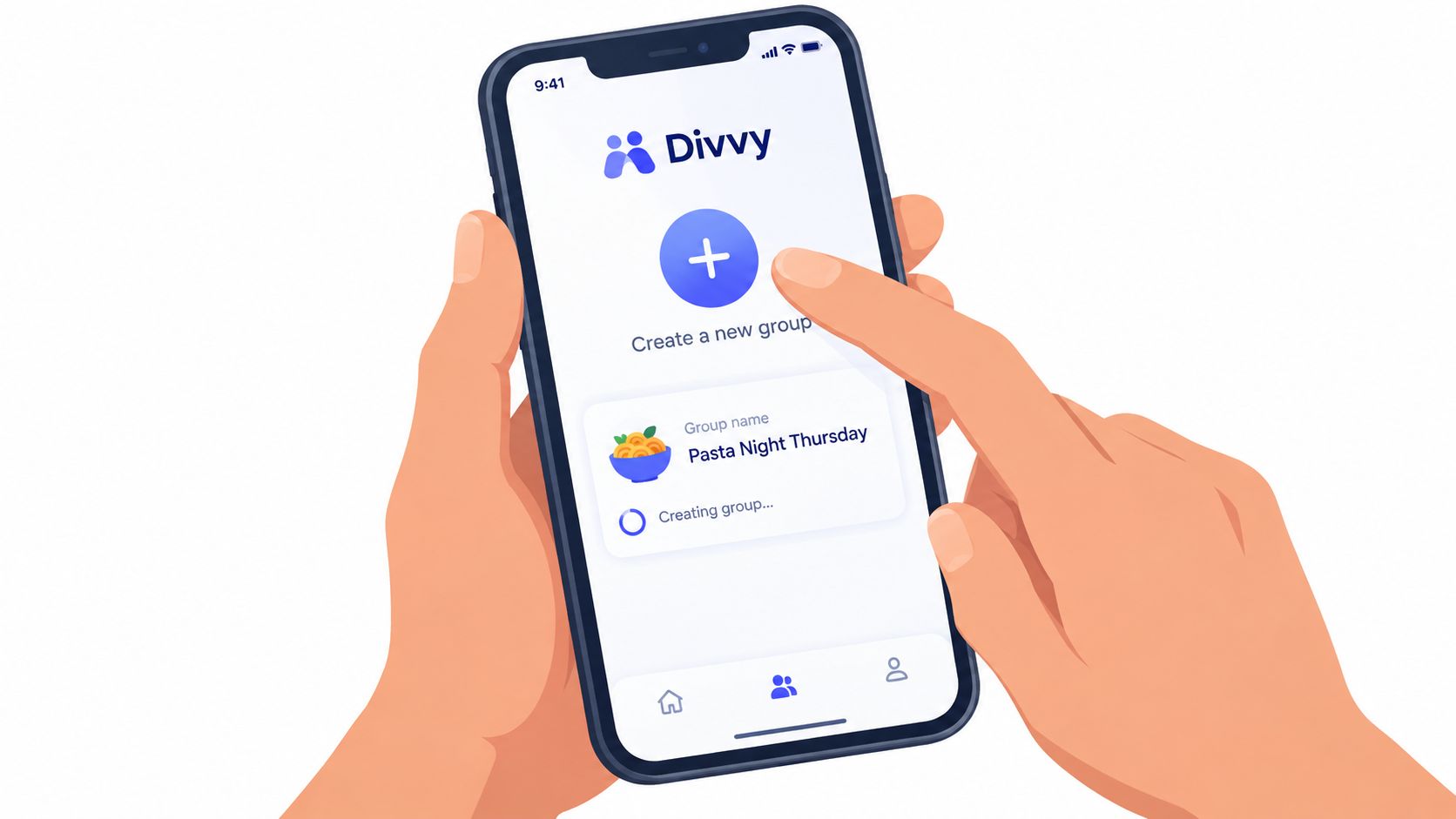
Choose the group structure before inviting people
On the setup screen, decide whether the group will normally use equal shares or itemized assignment. Equal shares suit meals where everyone consumes roughly the same things. Itemized assignment works better when people order separately or when one person pays for a noticeably different meal.
Use names you can copy directly:
- Trip Costa Rica March for a travel group.
- Roommates Q1 for recurring household expenses.
- Book Club Brunch for a regular social event.
- Dinner Crew for a reusable contact group.
Avoid names such as Friends, Dinner, or Group 1. They may seem quick now, but they create confusion when you have several similar gatherings in your history.
If you organize through email as well, a guide to create a group email list can help you keep recurring participants together outside the payment app. That's useful when the same people receive restaurant details, travel updates, and settlement reminders.
The iPhone contact route is simple. Open Contacts, create a labeled group such as Dinner Crew, and add the regular participants. When settlement time comes, you can select the same people for a Venmo or Divvy request without searching for every name individually. For a broader comparison of tools, see this guide to a split check app.
Before the meal, screenshot the final member list. It won't replace the group record, but it gives the host a fallback if the app loses connectivity or the restaurant has poor service.
Here's the practical sequence I use:
- Create the group.
- Give it a specific name.
- Add confirmed members.
- Set the default split method.
- Assign an administrator.
- Screenshot the member list.
- Tell everyone where the final request will arrive.
A short setup prevents a long chain of “who's included?” messages later.
Assigning Items, Tax, and Tip the Fair Way
The host has two broad choices once the receipt arrives. An even split divides the grand total by the number of diners. An itemized or proportional split starts with what each person consumed, then distributes shared costs according to a clear rule.
Equal division is perfectly reasonable for pizza, shared platters, or a fixed-price tasting menu where everyone receives the same experience. It also makes sense when nobody remembers individual orders and the group agrees that simplicity matters more than precision. The problem starts when equal splitting hides a meaningful difference in consumption. The person who ordered water and a salad shouldn't automatically subsidize a steak, cocktails, or a bottle of wine.
Assign the subtotal first
Receipt-level splitting works best when each line item is assigned before tax and tip are calculated. Each diner's subtotal becomes the basis for their share of the remaining charges. The practical formula is:
Person's final share = personal subtotal + that person's proportional share of tax and tip
For example, suppose six diners have these pre-tax subtotals:
- Diner A ordered items totaling $20
- Diner B ordered items totaling $30
- Diner C ordered items totaling $35
- Diner D ordered items totaling $40
- Diner E ordered items totaling $45
- Diner F ordered items totaling $50
The combined subtotal is $220. Apply an 8% tax and a 20% tip to the total, then assign both charges according to each person's share of the $220 subtotal. This proportional approach follows the receipt-level method described in guidance on splitting tax and tip proportionally, rather than dividing tax and tip evenly across six people.
| Diner | Items Ordered | Even Split | Proportional Split |
|---|---|---|---|
| Diner A | $20 subtotal | $52.80 | $39.60 |
| Diner B | $30 subtotal | $52.80 | $59.40 |
| Diner C | $35 subtotal | $52.80 | $69.30 |
| Diner D | $40 subtotal | $52.80 | $79.20 |
| Diner E | $45 subtotal | $52.80 | $89.10 |
| Diner F | $50 subtotal | $52.80 | $99.00 |
The figures in the table use the stated tax and tip rates and preserve the full grand total. The proportional method doesn't make every amount identical, but it makes every amount explainable. If two diners shared an appetizer, assign that item evenly between them before calculating their subtotal weights.
For more detail on assigning individual receipt lines, use this line-item cost breakdown guide. The key is to settle the rule before people see the final amounts. Otherwise, the group may debate the method after the calculation instead of checking the entries.
When fairness isn't 50-50
Household expenses raise the same question in a more permanent form. A 2024 YouGov survey found that 38% of couples where both partners work split bills in proportion to relative income, while 46% split them 50-50 (YouGov survey on fair household bill splitting). The survey also found different approaches to joint and individual accounts, which shows that “fair” depends on the arrangement, not merely on equal amounts.
For dinner, consumption is usually the clearest basis. For rent or utilities, income, room size, or an agreed fixed contribution may be more appropriate. Put that principle in the group description so nobody has to renegotiate it each time.
Naming, Roles, and Member Management Habits
Treat the group name like a filing system, not a chat title. Include the purpose and a useful identifier, such as Dinner, Nov Birthday, Iceland 2026, Cabin Crew, or Trip, Beach. If someone else might organize a similar event, add the host's name as well.
The best names answer three questions at a glance:
- What is this for?
- When did it happen or when does it recur?
- Which group of people does it involve?
Give people ownership before the receipt arrives
One administrator should own the final edits and settlement request. That person doesn't have to be the person who paid, but the arrangement needs to be explicit. Add a co-organizer when another person may need to upload receipts, correct assignments, or record a payment.
Pin a short description with the rules that tend to cause arguments:
- Split method: Equal, itemized, or proportional.
- Shared items: Divided among everyone, or only among people who ate them.
- Tax and tip: Allocated according to subtotal share.
- Special treatment: Whether a birthday person's entrée is excluded.
- Late additions: The point after which a new member isn't charged for earlier items.
- Payment method: Where requests will be sent and how cash will be recorded.
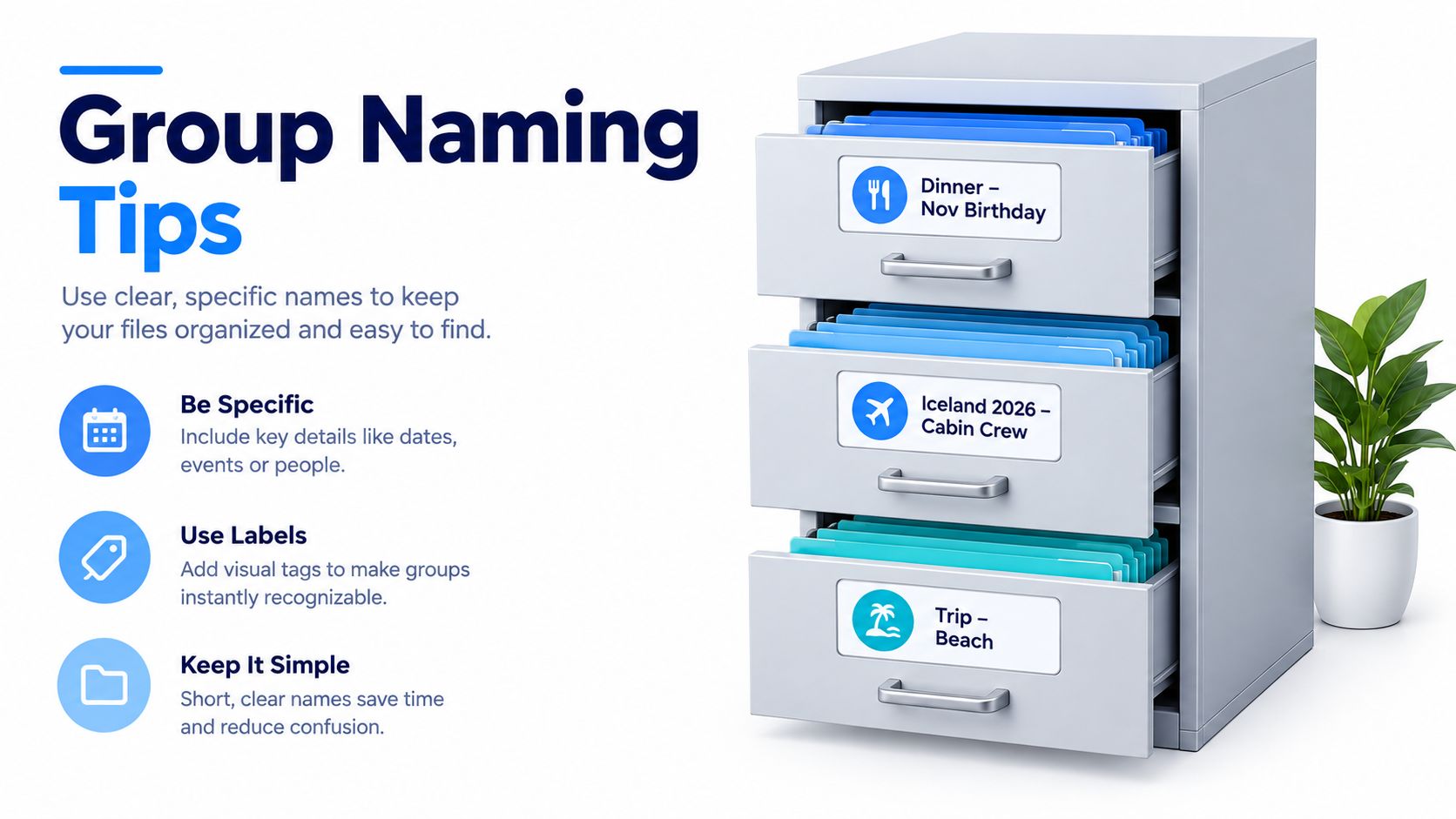
For recurring dinners, reuse the same contact group but create a separate settlement group for each event. That keeps the member selection quick without mixing old balances with new receipts. A recurring household group can work differently, because the purpose is continuity, but the description should still state the contribution rule and the person responsible for updates.
Trips need more separation than most hosts expect. Create subgroups such as Hike Day Lunches, Reykjavik Dinners, or Airport Transfers instead of placing every expense into one enormous ledger. Smaller activity groups make it easier to see who participated and reduce the final reconciliation burden.
A useful division of labor: One person checks the receipt, another confirms unusual assignments, and one administrator sends the request. Shared visibility doesn't require shared editing rights.
When someone leaves the trip or stops sharing a household expense, remove them from future charges but preserve the settled history. Deleting the whole group makes it harder to answer legitimate questions later.
Handling Late Joiners, Dropouts, and Cash Payers
Dinner groups change after the first order. A friend arrives late, someone leaves the trip early, or a roommate moves in halfway through the billing period. If those changes stay in people's heads, the final settlement becomes a negotiation instead of a record.
Set the rule before the first exception: new members pay for charges they participate in from their arrival onward. Do not add a late arrival to an appetizer already assigned. For a shared dish still available to everyone, the group can choose to split it retroactively, but record that choice where everyone can see it.
Use participation windows
For trips, record each person's arrival and departure dates, then tie expenses to that window. Someone who attended one dinner should not remain attached to every restaurant bill. For household expenses, use the billing period and move-in date as the boundary. A note such as “charges begin with the first full week” settles partial-occupancy questions before they become personal.
Dropouts need their own rule. If someone cancels before a meal, remove their share from recoverable costs and divide the remaining bill among the attendees. If that person committed to a non-refundable deposit or pre-ordered tasting menu, charge the portion the group cannot recover. Leave the rest with the people who attended.
The awkward part is usually follow-through, not the calculation. A survey of 1,000 Singaporean travelers found that 33% reported disputes over group-trip money, while 76% of people who fronted group expenses weren't fully repaid, with late repayments, incorrect calculations, and unfair splitting among the leading causes (YouTrip survey findings reported by AsiaOne). A request process with a named sender, an exact amount, and a clear deadline prevents the host from chasing each person with a different explanation.
Record cash immediately
Cash creates a second ledger unless it is logged at once. When someone hands the host cash, apply it to that person's balance and label it cash in the group notes. Do not rely on memory, and do not leave the person marked unpaid because they used a different payment method.
Keep one person responsible for follow-up. After the agreed deadline, send the exact amount and payment link in one message. If the person has already paid part in cash, show the remaining balance rather than sending the original total. Clear records make reminders shorter and keep a late payment from turning into a private reconstruction of the entire dinner.
Your Repeatable Group Settlement Checklist
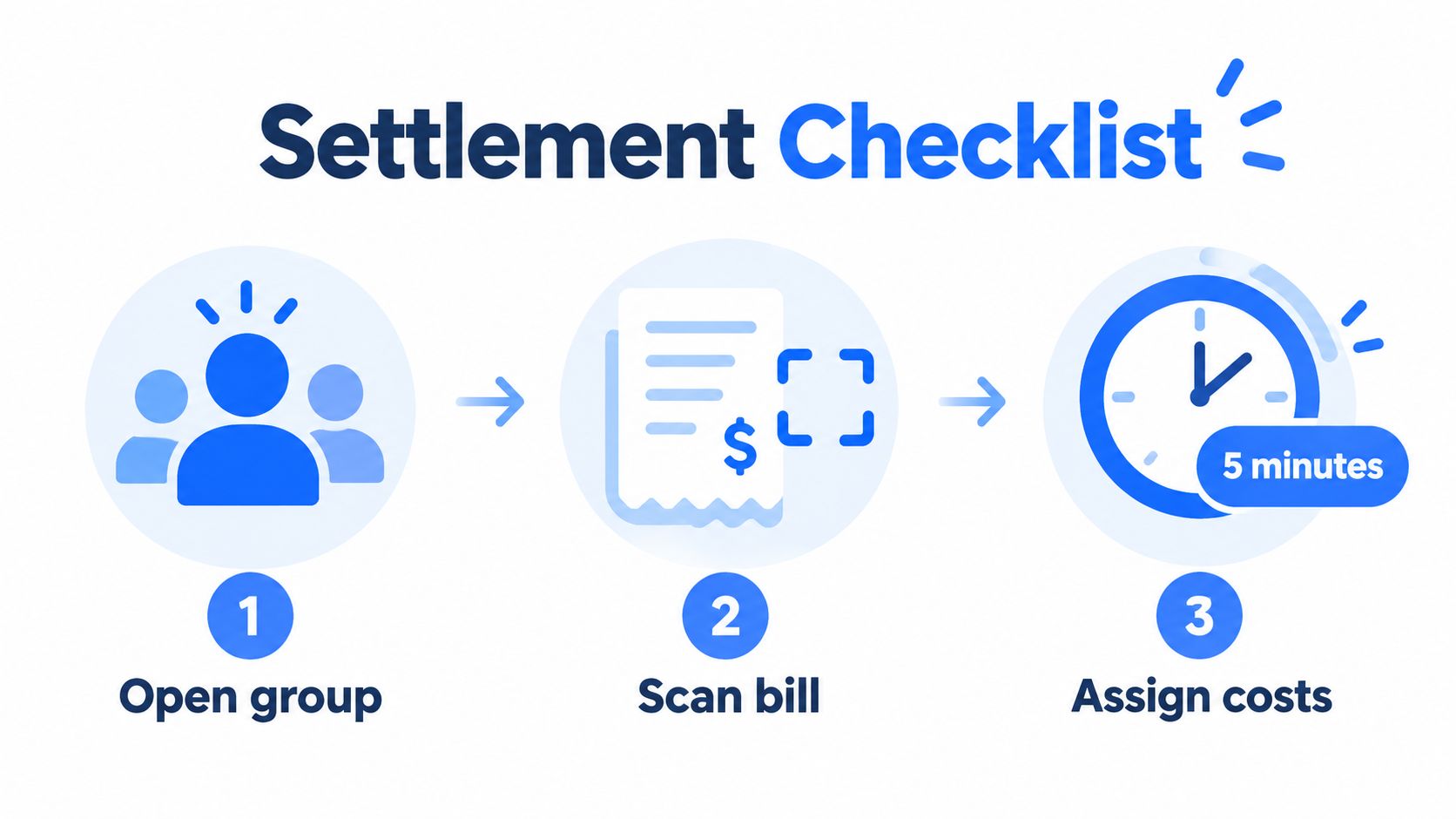
The smoothest groups treat settlement like clearing the table. Within a few minutes of the final receipt, the administrator opens the group, captures the bill, assigns every line, records cash, and checks that the total matches the receipt.
That routine matters because memory gets worse as the evening stretches on. A shared plate becomes “everyone's plate,” a drink gets assigned to the wrong person, and the person who paid forgets whether a cash contribution was already included. Finish the record while the people and items are still in front of you.
The closing ritual
Use this sequence at dinner:
- Open the group: Confirm the member list and remove anyone who didn't participate.
- Scan the bill: Capture every line item, tax, tip, and applicable charge.
- Assign costs: Give personal items to individuals and shared dishes to the agreed participants.
- Allocate tax and tip: Apply each person's subtotal proportion to the remaining charges.
- Check the total: Compare the calculated grand total with the receipt.
- Record payments: Mark cash or any advance contribution immediately.
- Send requests: Use the agreed payment channel and include the exact amount.
- Close the group: Mark it settled and archive it instead of deleting the history.
For the payment stage, a structured bill payment reminder app can reduce the need for the host to remember who has paid. The important principle is consistency. Everyone should know the deadline, the destination for payment, and how the group records partial or cash settlements.
Use the same system on trips
Don't wait until departure morning to reconcile an entire trip. Close each activity segment while the details are fresh, such as after a dinner, excursion, or shared transfer. This keeps late joiners and early departures attached to the charges they participated in.
Your reusable checklist can fit in a pinned group description:
- Members confirmed
- Rule selected
- Items assigned
- Tax and tip allocated
- Cash recorded
- Total verified
- Requests sent
- Group archived after settlement
Creating a group isn't the finish line. It gives the receipt a home, assigns responsibility, and makes the final request predictable. Once that habit is in place, the host can collect money without turning every dinner into a negotiation.
Divvy lets you create groups, invite friends, scan receipts with AI, assign items to specific people, and allocate tax and tip according to each person's share. If you want to replace calculator-based follow-ups with itemized requests and common payment options, visit Divvy before your next group dinner.