Divvy
Shared Expenses Spreadsheet: A Worked Example, Step by Step
By The Divvy Team · November 2, 2026 · 8 min read
A shared expenses spreadsheet needs two parts: an Expenses sheet with one row per expense (amount, who paid, who was in the split) and a Balances sheet that works out what each person paid, what they owe and the difference. Net is paid minus owed. A positive net means the group owes that person, and every net on the sheet adds up to zero.
That's the whole setup. The rest of this page runs real numbers through it, then shows the three places it gets slow: uneven tax and tip, late joiners and editing from a phone.
How to set up a shared expenses spreadsheet
Expenses sheet. One row per expense. Columns: date, what it was, amount, who paid, and one share column per person. The shares in a row must add up to the amount in that row.
Balances sheet. One row per person with three numbers:
- Paid: the sum of every expense that person fronted.
- Owed: the sum of that person's share column.
- Net: paid minus owed.
Add a check cell that totals all the nets. If it isn't zero, a row is wrong. HippoSplit's template goes a step further: it flags a row in red when its shares don't add up and shows a Balanced indicator. You can build both in a few minutes.
Worked example 1: three people, five expenses, $465
This one uses the numbers from the HippoSplit template. Three friends, five expenses, $465 total. Split evenly, each share is $465 / 3 = $155.
| Person | Paid | Owes | Net |
|---|---|---|---|
| Sam | $300 | $155 | +$145 |
| Riya | $135 | $155 | -$20 |
| Tom | $30 | $155 | -$125 |
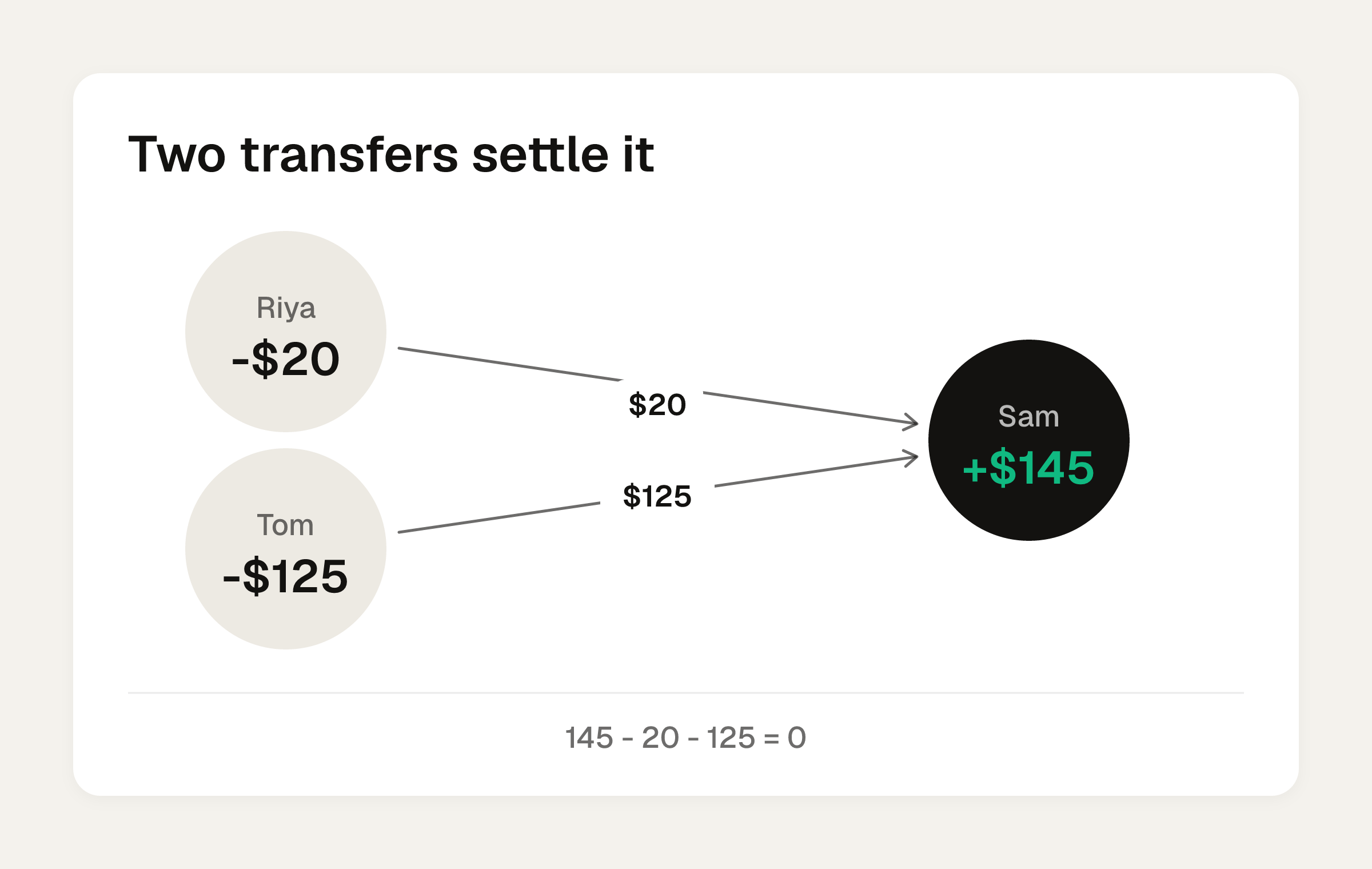
Sam's $300 and his net of +$145 come straight from the template. Riya's and Tom's paid amounts are what the template's transfers imply: $135 and $30. The nets add up: 145 - 20 - 125 = 0.
Settling takes two transfers:
- Tom sends Sam $125.
- Riya sends Sam $20.
After those, Sam has been paid back $145, which is exactly the amount he fronted beyond his own share.
The settle-up rule
Take the biggest debtor and have them pay the biggest creditor. Repeat until everyone is at zero. A group of six never needs more than five transfers. Excel Tactics builds a settlement section into its worksheet that suggests the fewest payments, so you don't have to do this by eye.
Worked example 2: roommates, rent and a repayment
This one follows the numbers in the You Owe Me roommate template. Three roommates split rent ($1,800), internet ($60) and groceries ($120). That's $1,980, so $660 each.
Here is one way to get its figures: Maya paid the rent, Alex paid the internet and Sam paid the groceries.
| Person | Paid | Owes | Net |
|---|---|---|---|
| Maya | $1,800 | $660 | +$1,140 |
| Alex | $60 | $660 | -$600 |
| Sam | $120 | $660 | -$540 |
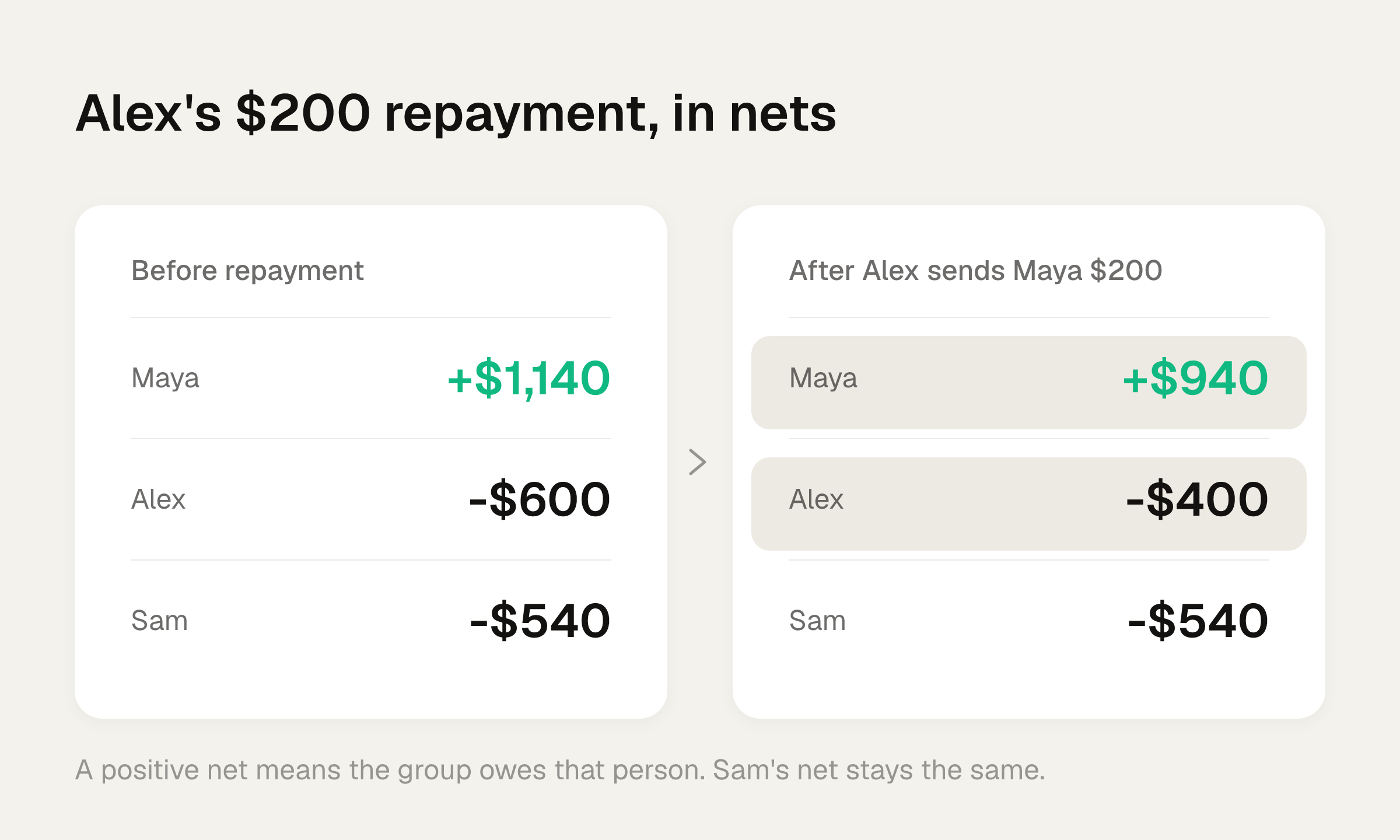
Then Alex sends Maya $200. Don't edit the rent row. Add a separate repayment entry, so the original expenses stay as they were. Now Alex's net is -$400, Maya's is +$940, and Sam's is still -$540. Alex owes $400, Sam owes $540, and both pay Maya.
One habit from that template: if you carry a prior balance into a new month, carry it forward once. Carry it twice and the nets stop summing to zero. For rent-specific splits, the roommate bills guide and the rent calculator cover the math.
Uneven splits: type the amounts, then check the total
Equal splits are the easy case. Excel Tactics' file splits every expense equally and suggests breaking an expense into several rows when the ratios differ. Indzara's template offers equal, unequal by percentage and unequal by amount.
Two examples:
- A $90 dinner where one person had $40 of it. Type 40 for them and 25 for each of the other two. 40 + 25 + 25 = 90.
- $2,400 rent split 40/30/30. The share columns read 960, 720 and 720. Together that's 2,400.
If the shares don't add up to the full amount, the Balances sheet will be off by whatever is missing. Indzara colour-codes shares that run under or over the total. That's a cheap feature to copy with conditional formatting.
Equal splits can also leave a few cents. A $100 grocery run split three ways is $33.33 each, which is $99.99. Decide up front who absorbs the extra cent.
Where the spreadsheet gets painful
Tax and tip by what each person ordered
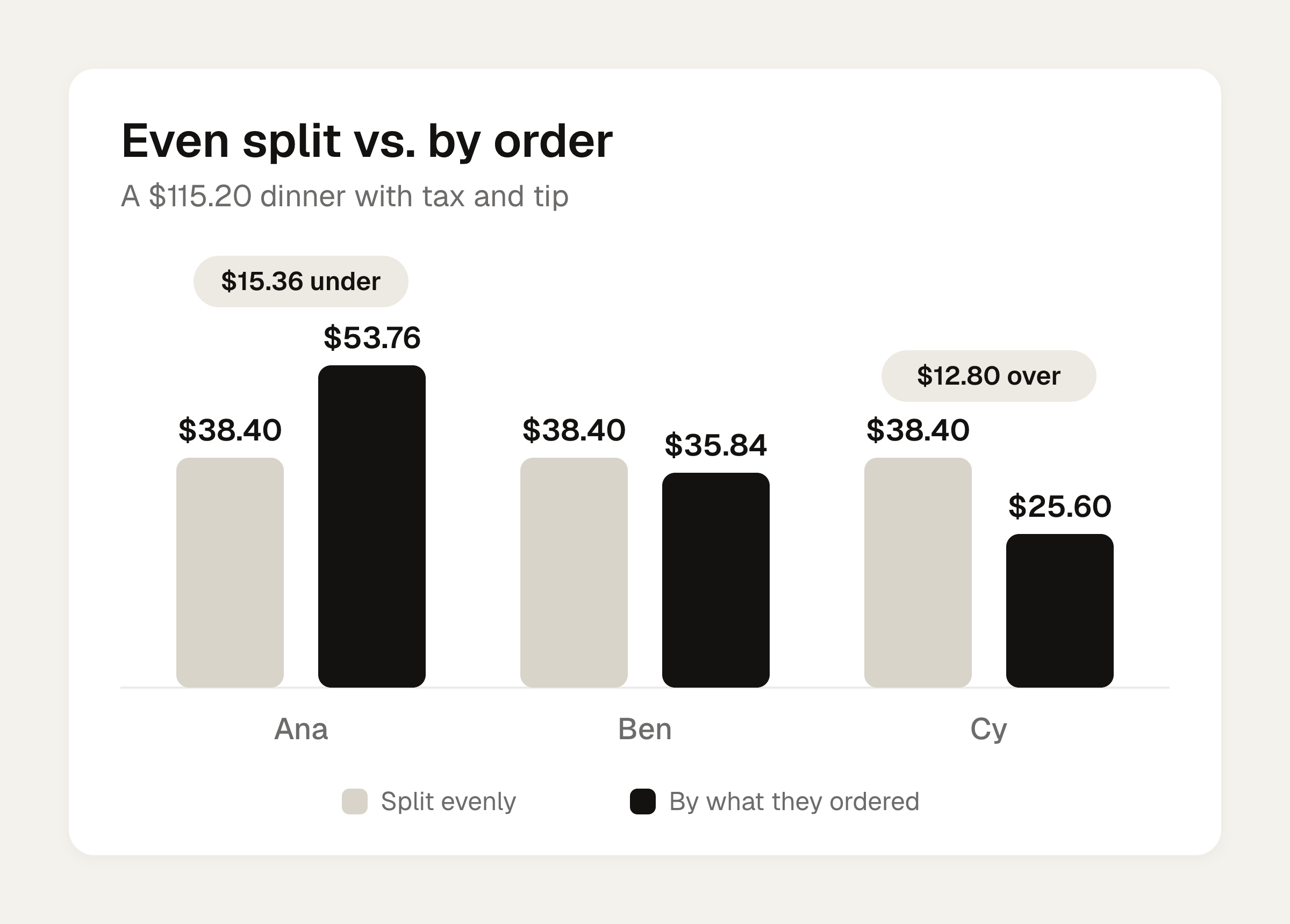
Take a $90 dinner subtotal: Ana's items $42, Ben's $28, Cy's $20. Tax is 8% ($7.20). Tip is 20% of the subtotal ($18.00). The total is $115.20.
| Person | Items | Tax | Tip | Share |
|---|---|---|---|---|
| Ana | $42.00 | $3.36 | $8.40 | $53.76 |
| Ben | $28.00 | $2.24 | $5.60 | $35.84 |
| Cy | $20.00 | $1.60 | $4.00 | $25.60 |
Split evenly, everyone pays $38.40. Ana would pay $15.36 less than her share, and Cy would pay $12.80 more than his. In a spreadsheet you can fix that with a formula on each row, but you have to type every item by hand, assign it to a person, and handle shared appetizers as extra rows. The tax and tip guide explains the proportional method, and the bill split calculator does the per-person math for you.
Late joiners
Say a fourth roommate moves in at the start of month two. If your equal-split formula counts four people on every row, last month's $120 groceries row quietly becomes $30 each instead of $40. Set the new person's share on all earlier rows to 0, and check that the nets still sum to zero.
Phones and visibility
Shared sheets are mostly read-only on a phone. In practice one person edits and everyone else trusts the numbers. That person becomes the group's unpaid accountant. Google Sheets also won't notify your roommates when you add an expense, according to Expense Sorted.
Currencies and receipts
Trips in more than one currency need manual currency and exchange-rate columns. A spreadsheet also doesn't hold the receipt, so a disputed line means digging through photos.
Excel or Google Sheets?
If the whole group needs to look at the sheet from a link, Google Sheets is the better choice. Before you download a template, check three things: whether it works in your version of Excel or Sheets, how many people it supports, and whether you need a Google account to copy it. Templates differ on all three. Excel Tactics' author says the file is a plain worksheet but can't confirm Google Sheets or online Microsoft 365 support.
Habits that keep the sheet honest
- Log each expense within 24 hours.
- Settle within a week, and set a weekly or bi-weekly reminder.
- Use equal shares only when everyone agreed to split equally.
- Keep a disputed cost out of the accepted balance until it's sorted out.
These come from Expense Sorted and You Owe Me. They apply to any tool.
When you fronted the dinner
The spreadsheet is fine for equal splits like rent, internet and groceries. It slows down at the restaurant table, where the question is who ordered what.
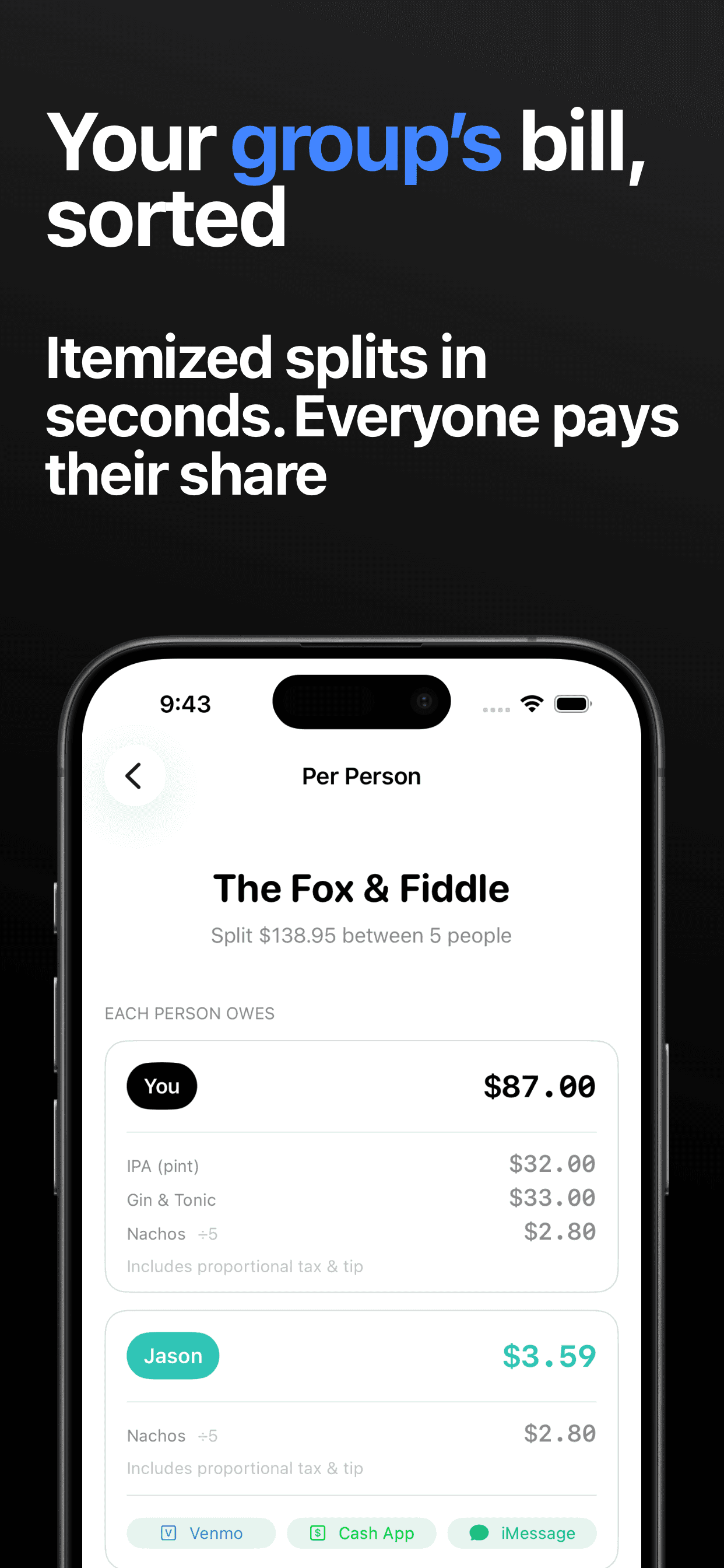
That's where Divvy bill splitting comes in. Point the camera at a receipt and Divvy reads every line item, the tax and the tip. Tap a name on each item to assign it, and a shared item can be split between people. Tax and tip are split by each person's share of the items, the same math as the Ana, Ben and Cy table above. Each person's share becomes a Venmo or Cash App request in one tap, with reminders until it's paid. Friends don't need the app or an account: they open a share link, see what they owe, and pay. Divvy is free to download.
If you'd rather keep the spreadsheet, run the dinner through the bill split calculator first and paste each person's total into your Expenses sheet. If you're still choosing between tools, this comparison of free shared expense trackers is the next place to look.
Frequently asked questions
How do I handle rounding in a shared expenses sheet?
Equal splits can leave a few cents, like $100 split three ways giving $33.33 each. Pick one person to absorb the extra cent, or round everyone up and let the difference sit in the next expense.
What should I do when someone disputes a cost?
Keep it out of the accepted balance until the group clarifies it. Log it in a separate note or row so the nets still sum to zero for the costs everyone agreed on.
Can a spreadsheet handle refunds?
It depends on the template. One roommate template doesn't support negative entries, while another author says negative amounts work for balances. Test with a small made-up refund before you rely on it.
Does Google Sheets tell my roommates when I add an expense?
No. Google Sheets doesn't notify roommates when an expense is added, so send a message or set a weekly reminder to check the sheet.
How many people can a shared expenses template handle?
It varies by template. Some cap out at six people and others allow more, so check the limit before you copy one for a big trip.