Divvy
Grubhub Receipts: Find Them and Split a $156 Order by Item
By The Divvy Team · November 11, 2026 · 7 min read
Your Grubhub receipts live in two places: the confirmation email Grubhub sends for every order, and the app under Account > Past Orders. Copy the "View Order" link from the email, or tap the order in the app and share it. Either one gives you the itemized lines you need to work out who owes what.
If you fronted the order, that receipt is your proof and your math sheet. Here is how to read it, then a full split of a $156 office order for eight.
What a Grubhub receipt shows
Every receipt lists:
- Each item with its price.
- Modifiers and add-ons, each with its own price. Guac is its own line, so the person who added guac pays for guac.
- Delivery fee and service fee.
- Tip.
- Tax breakdown.
- Grubhub+ discounts, if the account has them. Credits and rewards also show up as discounts.
Fee names and amounts can change without notice, so read the lines on your actual receipt instead of trusting a number you remember from last time.
Worked example: a $156 order for eight
Picture an office lunch. Eight people, one order, one person (you) on the card. Two people share a family-size burrito bowl. One person adds a drink. Three people add guac.
The prices below are illustrative. They are modeled on that kind of order and chosen so the receipt adds up to $156.00. They are not pulled from a real Grubhub receipt.
The receipt
| Line | Price |
|---|---|
| Family-size burrito bowl (Ana and Ben) | $30.00 |
| Chicken burrito (Cam) | $12.00 |
| Drink (Cam) | $3.00 |
| Burrito bowl (Dee) | $12.00 |
| Guac add-on (Dee) | $2.50 |
| Tacos (Eli) | $11.00 |
| Guac add-on (Eli) | $2.50 |
| Quesadilla (Fay) | $11.50 |
| Guac add-on (Fay) | $2.50 |
| Salad (Gus) | $11.00 |
| Nachos (Hal) | $10.00 |
| Items subtotal | $108.00 |
| Tax | $9.00 |
| Delivery fee | $5.00 |
| Service fee | $14.00 |
| Tip | $20.00 |
| Total | $156.00 |
Step 1: split the shared platter only among the people who shared it
The $30.00 family bowl goes to Ana and Ben, $15.00 each. Nobody else touches it, so nobody else pays for it.
Step 2: total each person's items
Ana $15.00, Ben $15.00, Cam $15.00, Dee $14.50, Eli $13.50, Fay $14.00, Gus $11.00, Hal $10.00. That adds to $108.00.
Step 3: spread tax, fees and tip by item share
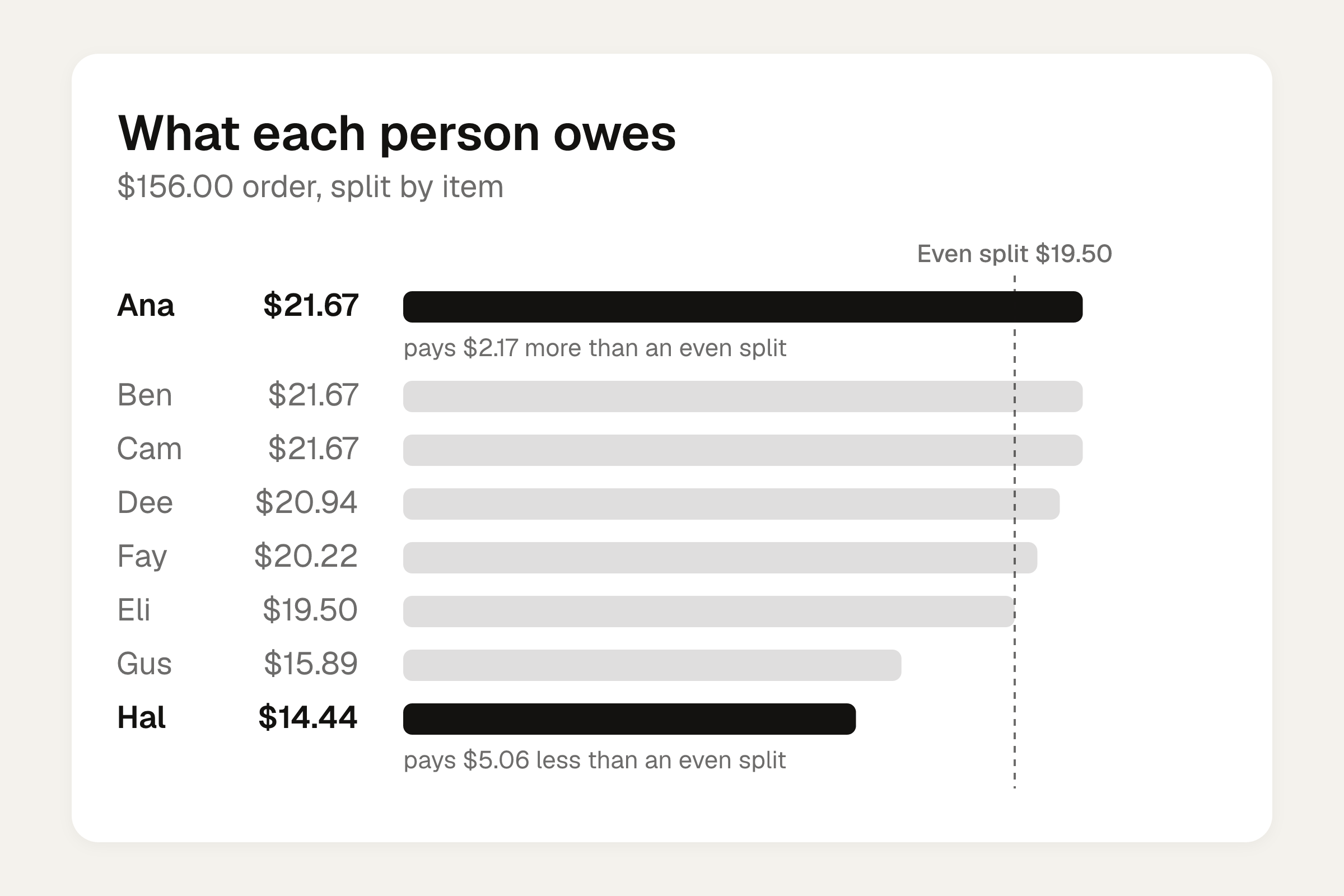
The extras are $9 tax + $5 delivery + $14 service + $20 tip = $48.00. That is $48 on $108 of food, or about 44.4 cents on every item dollar. Each person pays their items times 1.4444. (Here that is the same as items times 13/9, since $156 / $108.)
| Person | Items | Share of the $48 extras | Owes |
|---|---|---|---|
| Ana | $15.00 | $6.67 | $21.67 |
| Ben | $15.00 | $6.67 | $21.67 |
| Cam | $15.00 | $6.67 | $21.67 |
| Dee | $14.50 | $6.44 | $20.94 |
| Eli | $13.50 | $6.00 | $19.50 |
| Fay | $14.00 | $6.22 | $20.22 |
| Gus | $11.00 | $4.89 | $15.89 |
| Hal | $10.00 | $4.44 | $14.44 |
| Total | $108.00 | $48.00 | $156.00 |
An even split would be $19.50 each. Hal would overpay by $5.06 and Ana would underpay by $2.17. Nobody is angry about $5, but nobody enjoys being the one who covered the nachos-and-guac crowd either. For the method behind the tax and tip step, see how to split tax and tip fairly.
Want to try your own numbers? The bill split calculator splits evenly or by item, with tip.
When the fee lines don't match your receipt
The example above has a delivery fee and a service fee. Yours may not.
- Orders over $50. Grubhub says it will eliminate delivery and service fees on restaurant orders over $50, and that this is permanent (TechCrunch, February 2026). Grubhub also says such fees usually average about $13 per transaction across delivery apps. Check what was actually charged. If those lines read $0, your extras shrink to tax and tip and the method stays the same.
- NYC. The service fee line can read 16% crossed out to 8%, plus a flat $2 that applies only to orders delivered inside NYC. Grubhub does not publish a fixed member percentage, so the 8% is not a universal half-off rule.
- Small-order fees. Tip, tax and any small-order fee can push the total well above the menu price. Split them the same way as the rest.
The Grubhub+ wrinkle
Standalone Grubhub+ costs $9.99 a month plus tax as of 2026. Grubhub says it includes $0 delivery on eligible orders over $12. It does not remove the service fee, change sales tax, or touch the NYC add-on.
If a member placed your order, delivery shows $0 on the receipt, and the free delivery is attributed to the member even when non-members are eating. Most groups let the $0 stand. If you want to be exact, split the saving yourselves.
Group orders and work orders
For Grubhub for Business group orders, the host controls checkout and covers costs and fees on the whole order. The host can set a per-guest budget. Open Group Order allows up to 21 people including the host. The owner pays for the cart, and Grubhub says split payment is in development. Unless the account has "Split with Coworkers", the host pays and collects afterward. That is your situation.
This was checked in October 2026, so confirm in the app before you rely on it.
Two access rules for work orders:
- You can only split a receipt you can see, and only if you are authorized to view the order.
- For Grubhub for Work, as of 12/1/2020, getting order receipts means contacting a Client Success Manager or Client Relations.
How to get paid back without an awkward ask
Send the number and the reason together. People pay faster when the math is already done:
"Lunch total was $156. Your share is $20.94: your bowl, the guac, and your cut of tax, fees and tip. Venmo me when you can."
Send it the same day, while everyone still remembers who had what. For more wording, see how to ask someone to pay you back. If your order came from another app, the same steps work on a DoorDash receipt.
Where Divvy bill splitting fits
Doing eight shares by hand is fine once. Divvy bill splitting is built for the repeat version. Point the camera at a receipt and it reads every line item, the tax and the tip. Tap a name on each item to assign it, and split a shared item between the people who had it. Tax and tip are split by each person's share of the items, so whoever ordered more pays more of both.
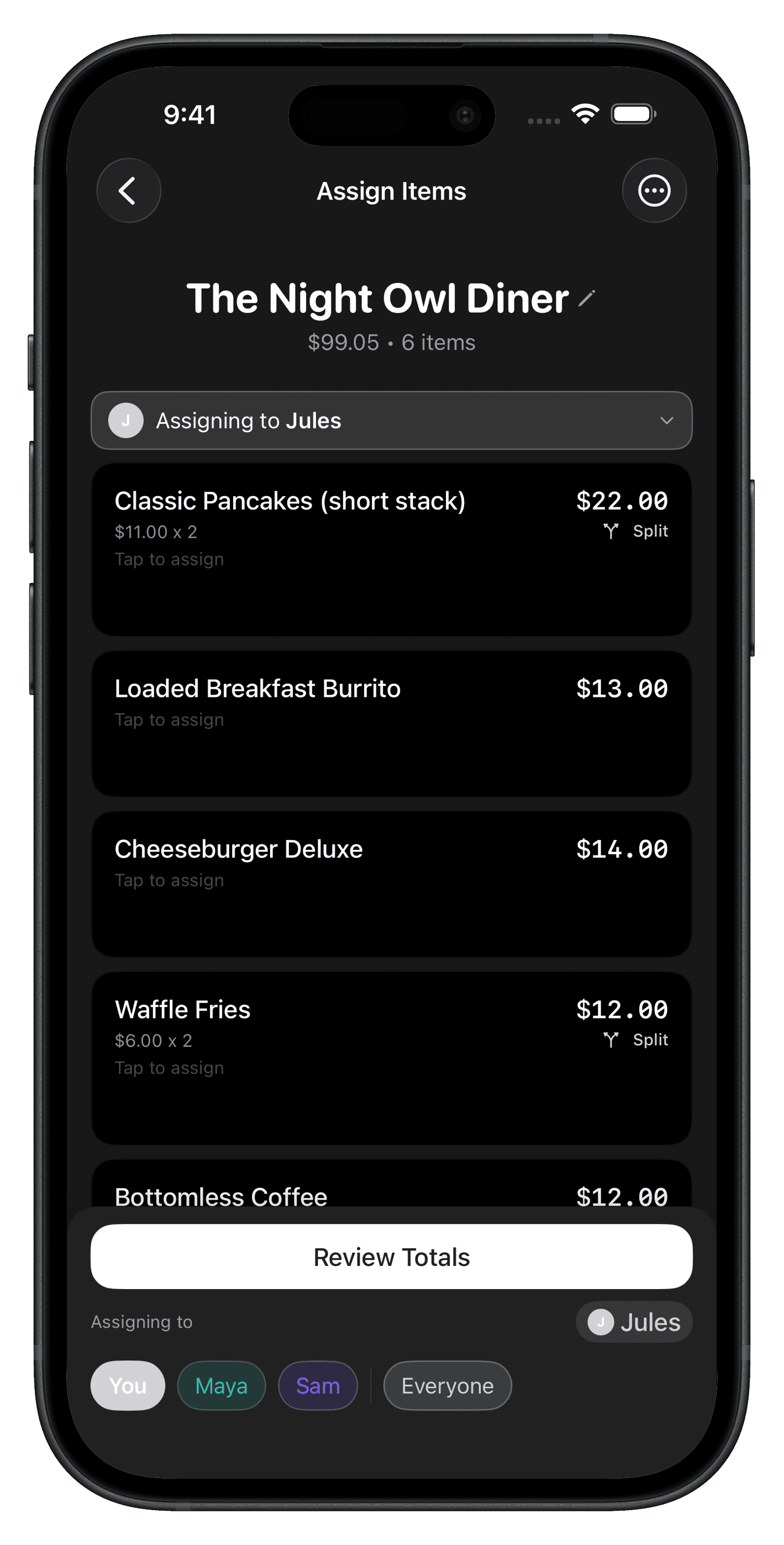
Then each person's share becomes a Venmo or Cash App request in one tap, with reminders until it's paid. Friends don't need the app or an account: they open a share link, see what they owe, and pay. Divvy is free to download. For how scanning works, read the receipt scanning app guide.
If you only have an email receipt, start with the calculator, type in each person's items, and send the totals.
Frequently asked questions
Can I split a Grubhub order after I've already paid?
Yes. Pull up the receipt from the confirmation email or Past Orders, assign each line to the person who ordered it, and ask for their share afterward. That is how it works for most group orders, since the person who checks out pays the card.
Should delivery and service fees be split evenly or by order size?
By order size is fairer. In the $156 example, Hal's $10 of nachos carries $4.44 of the $48 in extras, while Ana's $15 share carries $6.67. An even split would charge them the same, even though one ordered half as much.
What if the receipt shows a Grubhub+ discount?
Discounts and credits appear as their own lines. Subtract them from the total before you split, or share them across everyone by item share. Pick one approach and tell the group before you send requests.
Can I get a Grubhub receipt for a work order I didn't place?
Only if you have access to the email or order history and are authorized to view the order. For Grubhub for Work, as of 12/1/2020, getting order receipts means contacting a Client Success Manager or Client Relations.